First login to the cPanel with username and password. Then under Software section click the “MultiPHP Manager”.
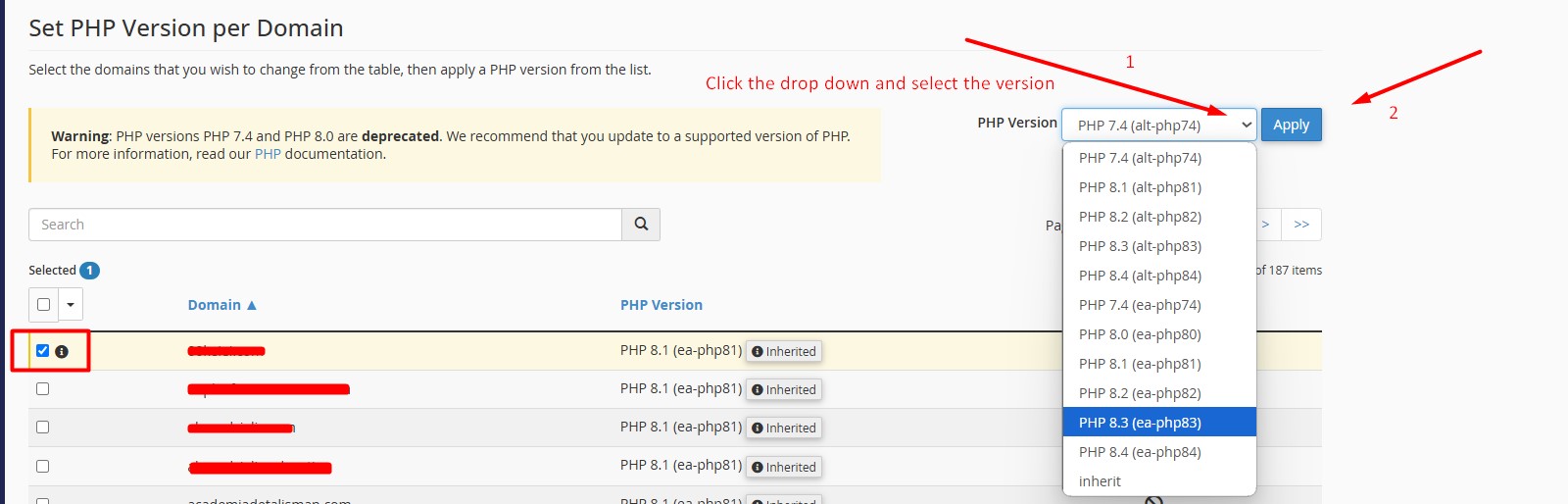
Inside the MultiPHP Manager, Select the domain and right side of the page a drop-down will appear. There you can select the available PHP version(ea-php) and click Apply to save the changes.