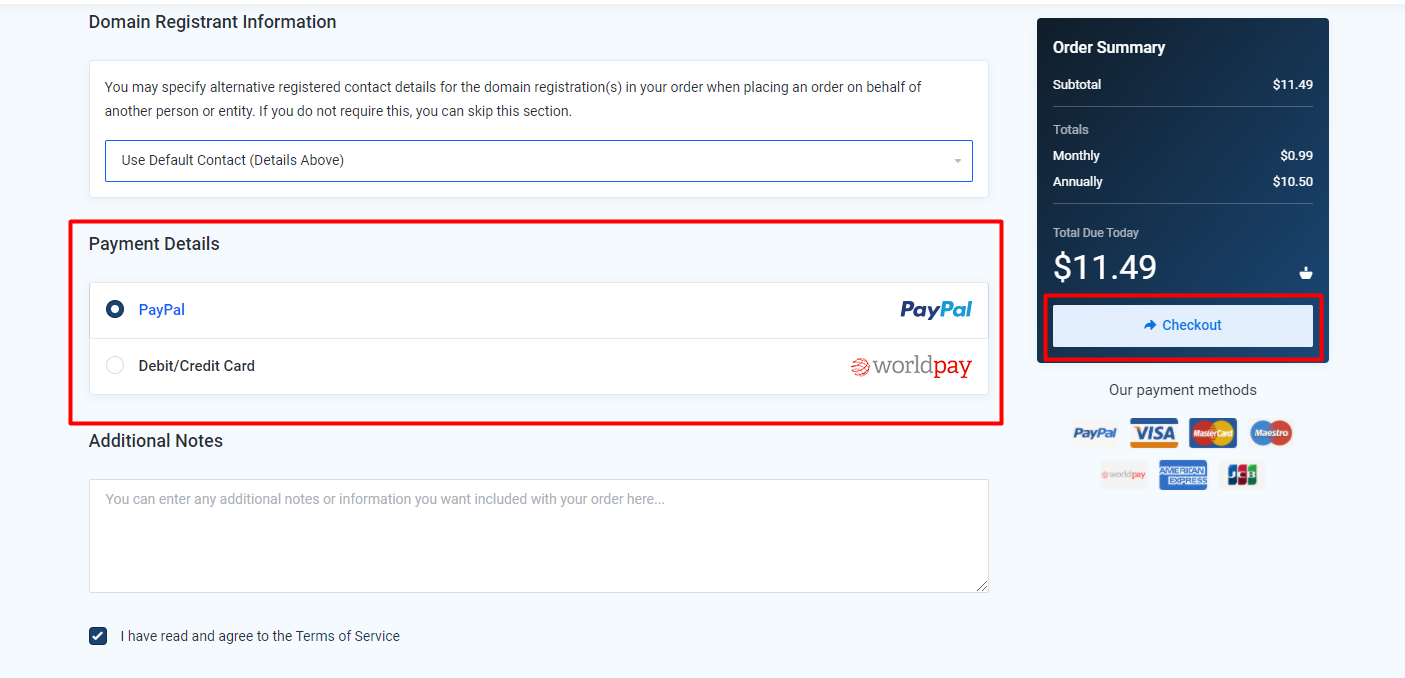
Let's see how to order multiple products or domains in SeekaHost.
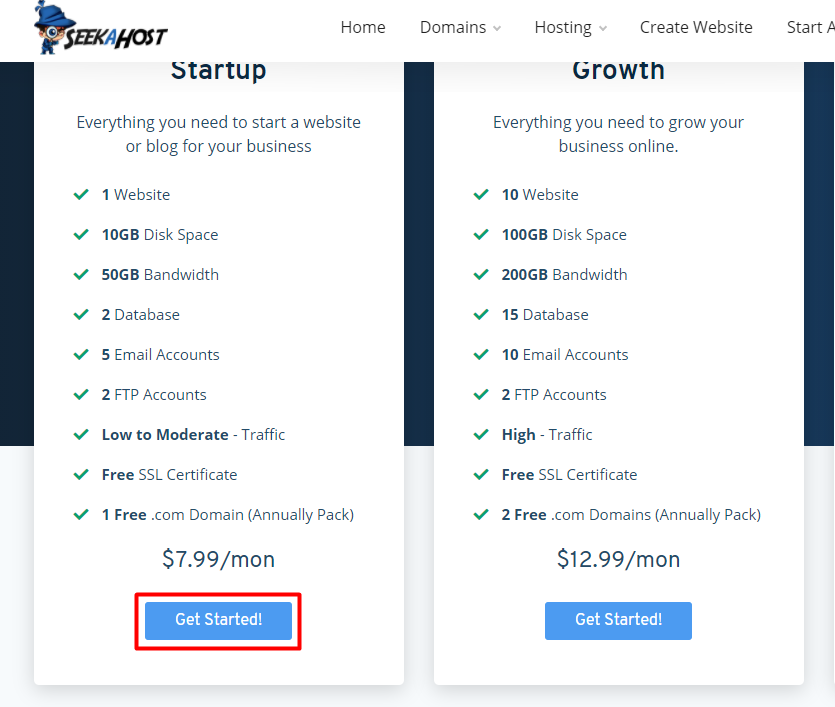
Step 1: Select the "Get Started" button under the package.
Step 2: It will be redirected to the Shopping Cart page. There you can choose the domain from various options as shown in the below image.
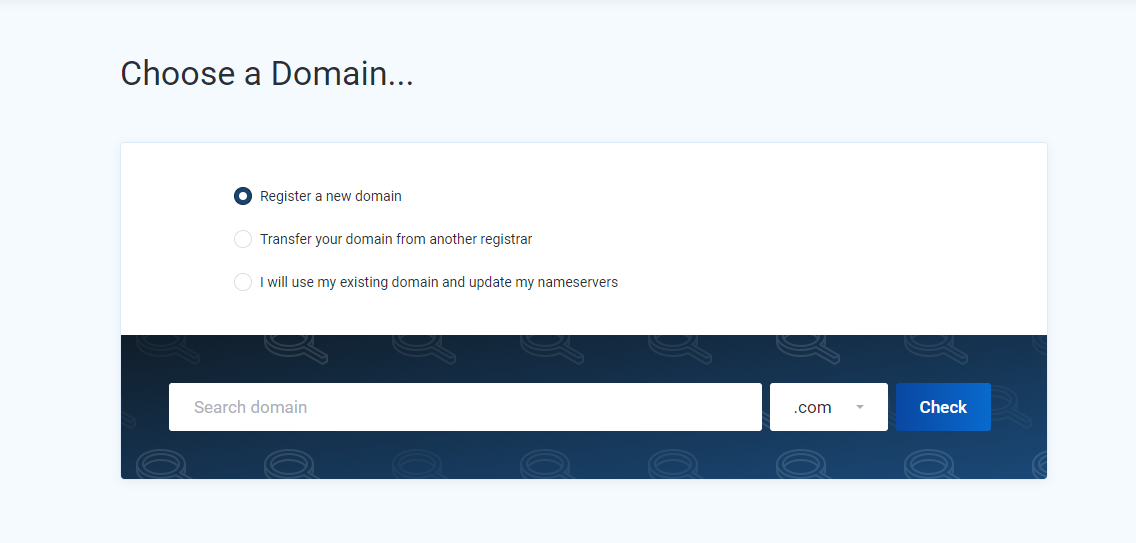
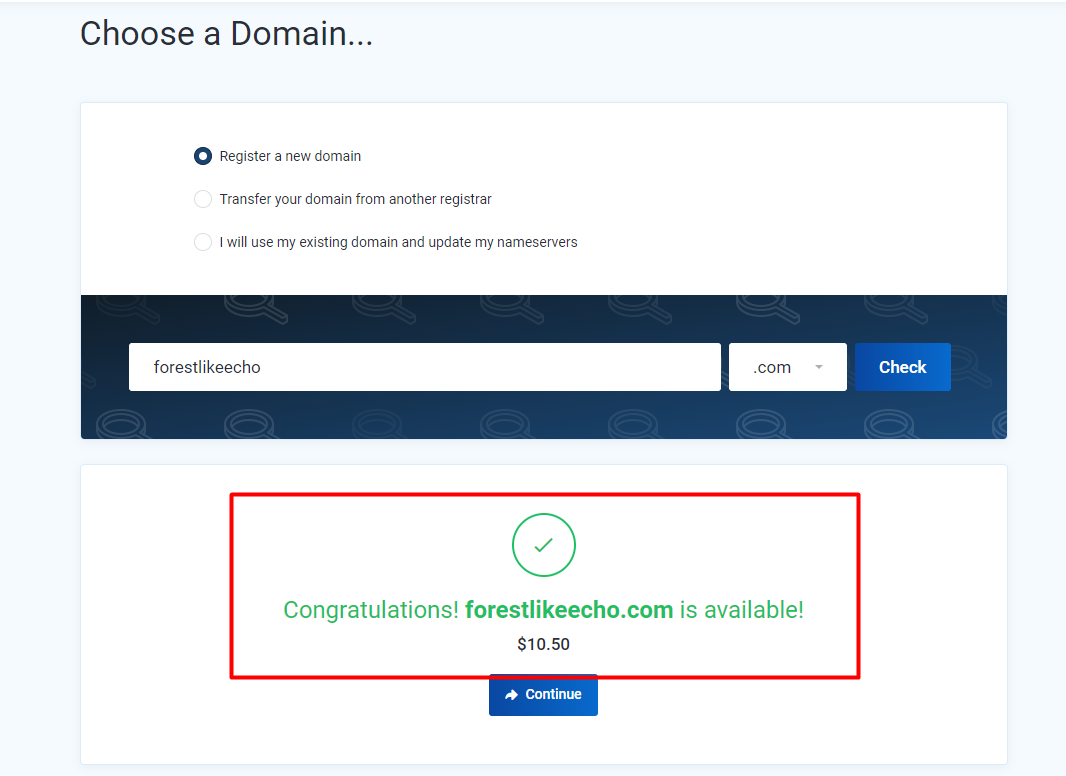
Step 3: If you already have a domain, then you can select the third option and continue the shopping by entering the domain name. Or else if you want to register the new domain you can select the first option and enter the domain name and TLD. Then enter the Check button. Check the availability of domain click Continue.
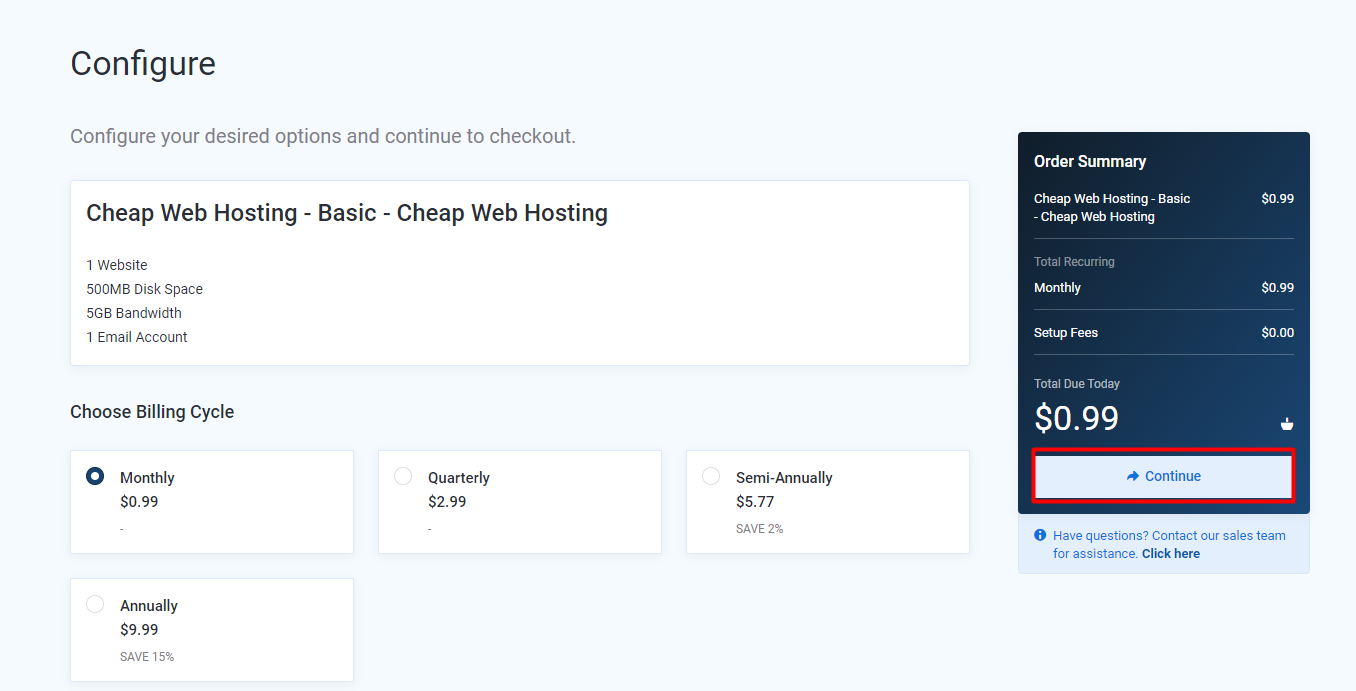
Step 4: Next, you will see the product details page. Here you can select the product billing cycle. After selecting click the Continue button.
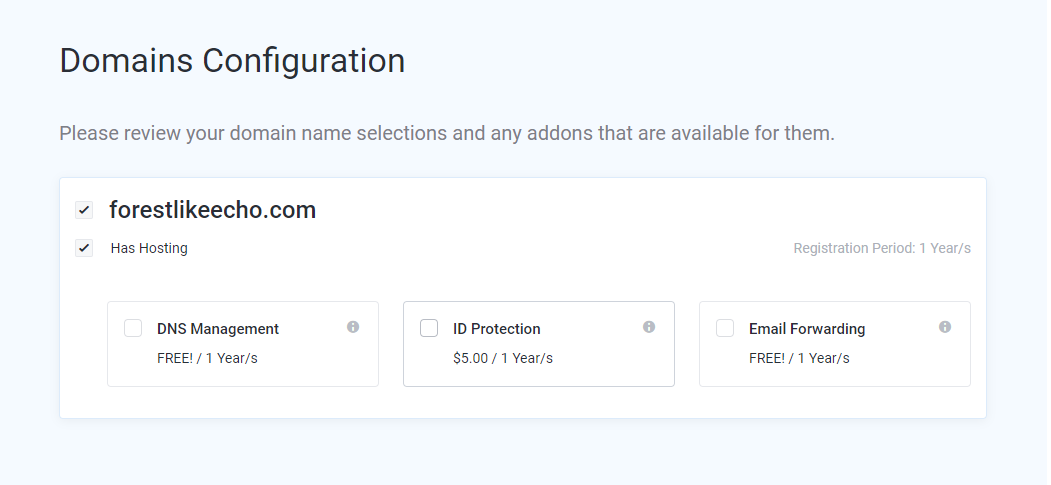
Next, you could see the domain configuration page where you can select the addon for your domains.
Step 5: At last, you will be redirected to the Review & Checkout page.
Here you can check the product and domain details that you have selected and select the payment process to finish the purchase.
To purchase multiple products and domains, you need to select Continue shopping.
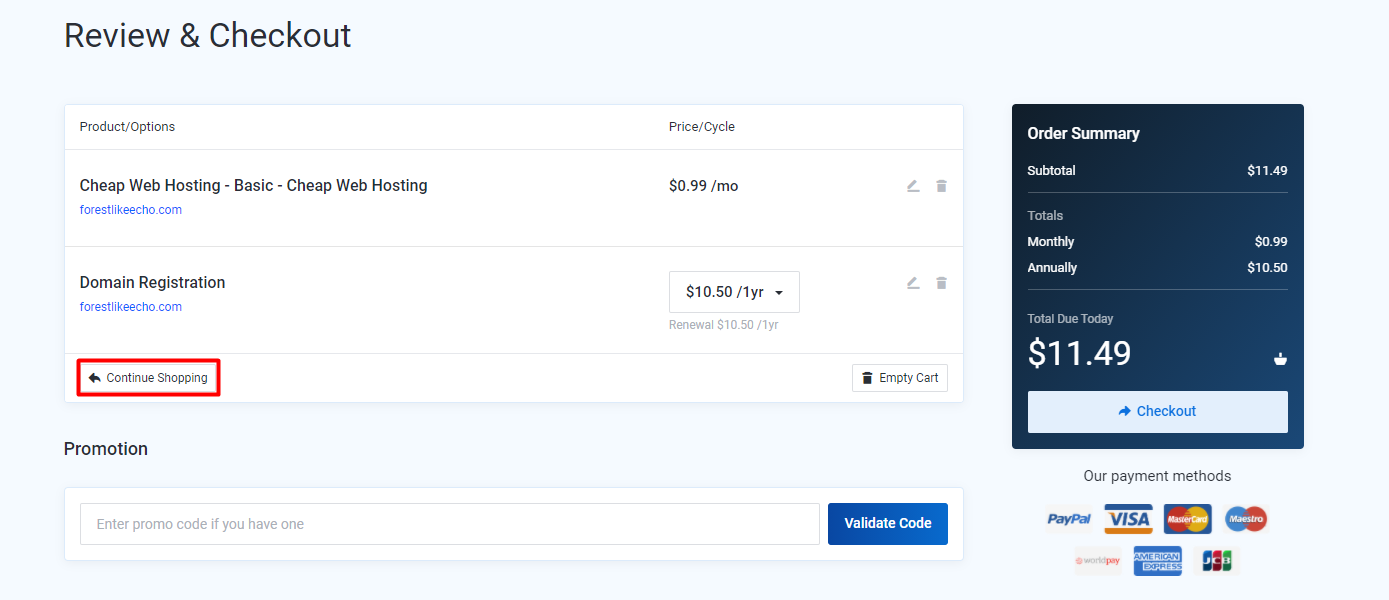
Step 6: Finally, after selecting the products and domains select the payment method and click Checkout to complete the process.