



You can use support tickets for describing your issues on the website or if you have any query related to our service or web hosting, you can contact us by raising a support ticket or through chat. Kindly follow the below steps to raise a ticket in the SeekaHost Client area.
Step 1:
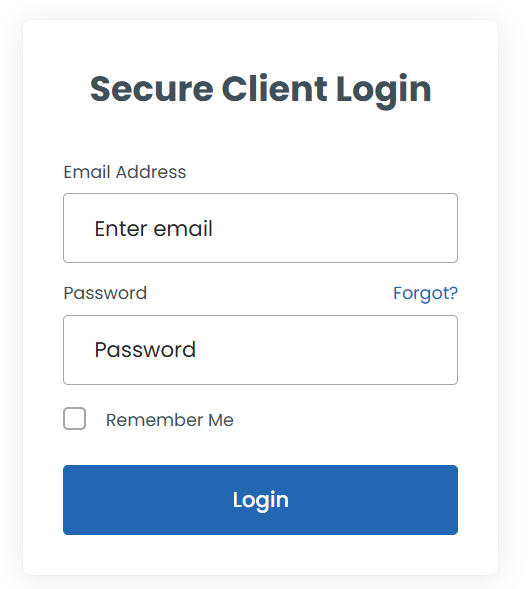
To create and manage support tickets, you first need to log in to your client area.
Step 2:
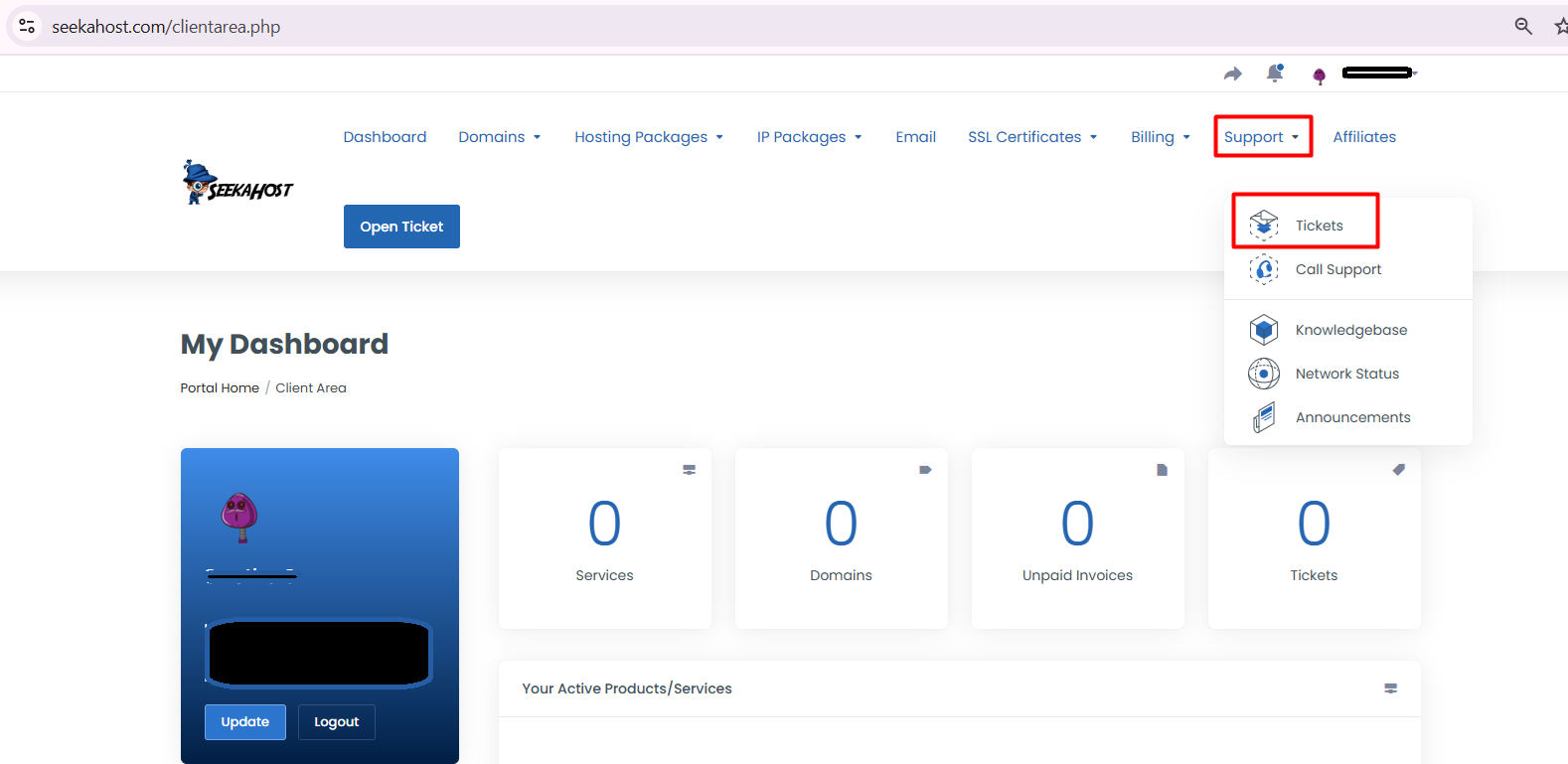
Once you are successfully logged in to the Client Area, you will see the Support Menu on the left side of the page. Clicke
Step 3:
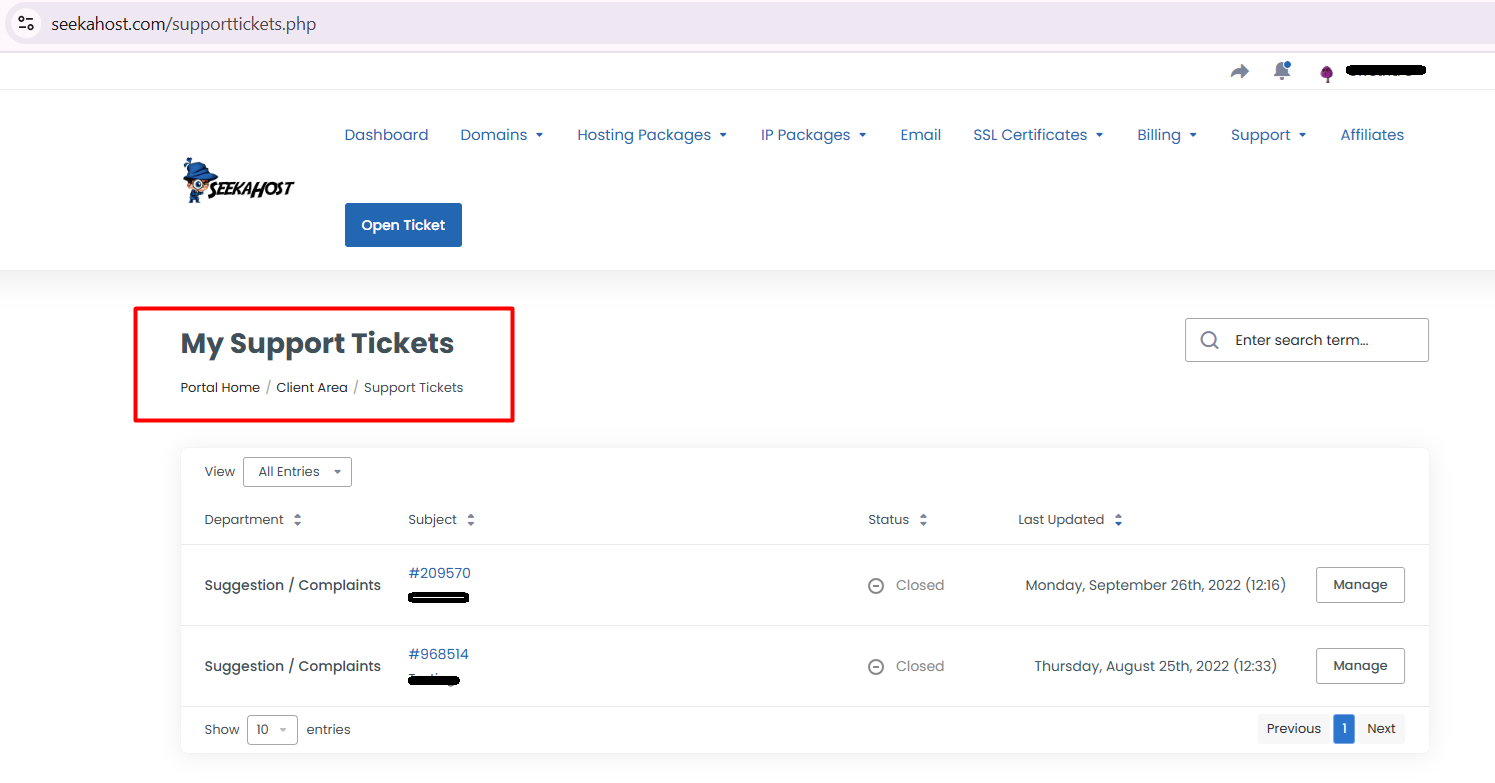
In that Support menu click on the Tickets option, it will take you to the Below Screen (My Support Tickets Page).
Step 4:
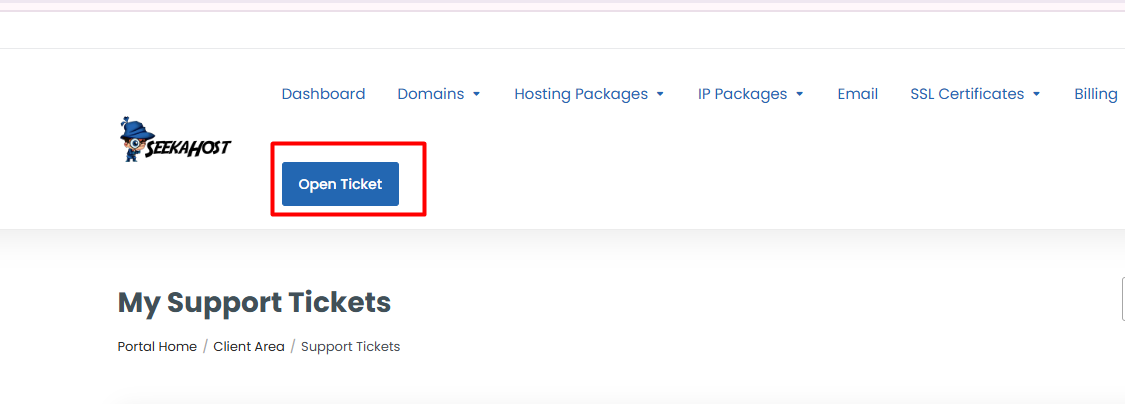
On this page, you have to click the Open Ticket option to raise a ticket.
Step 5:
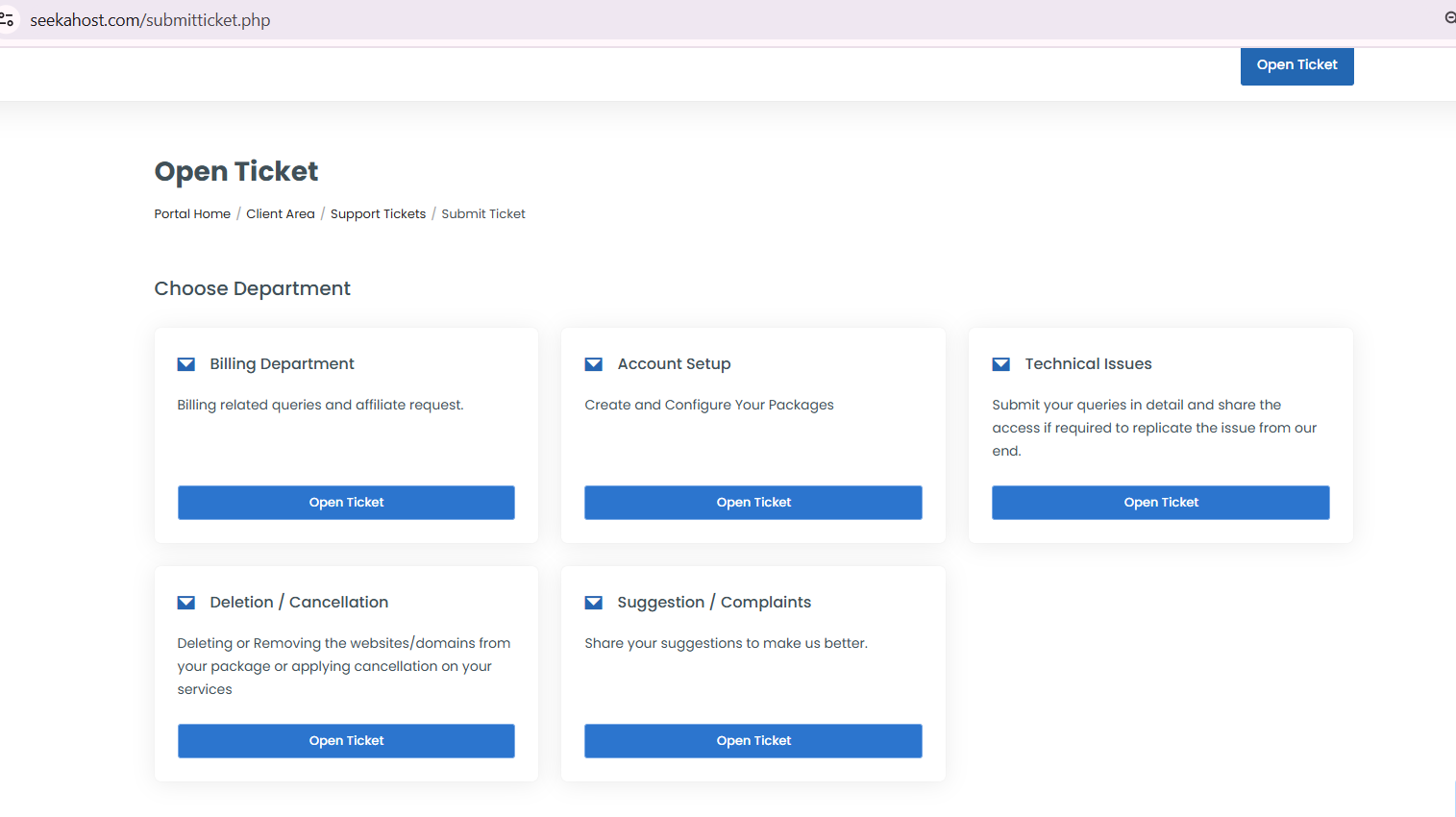
Here you have a select department as per your queries
Step 6:
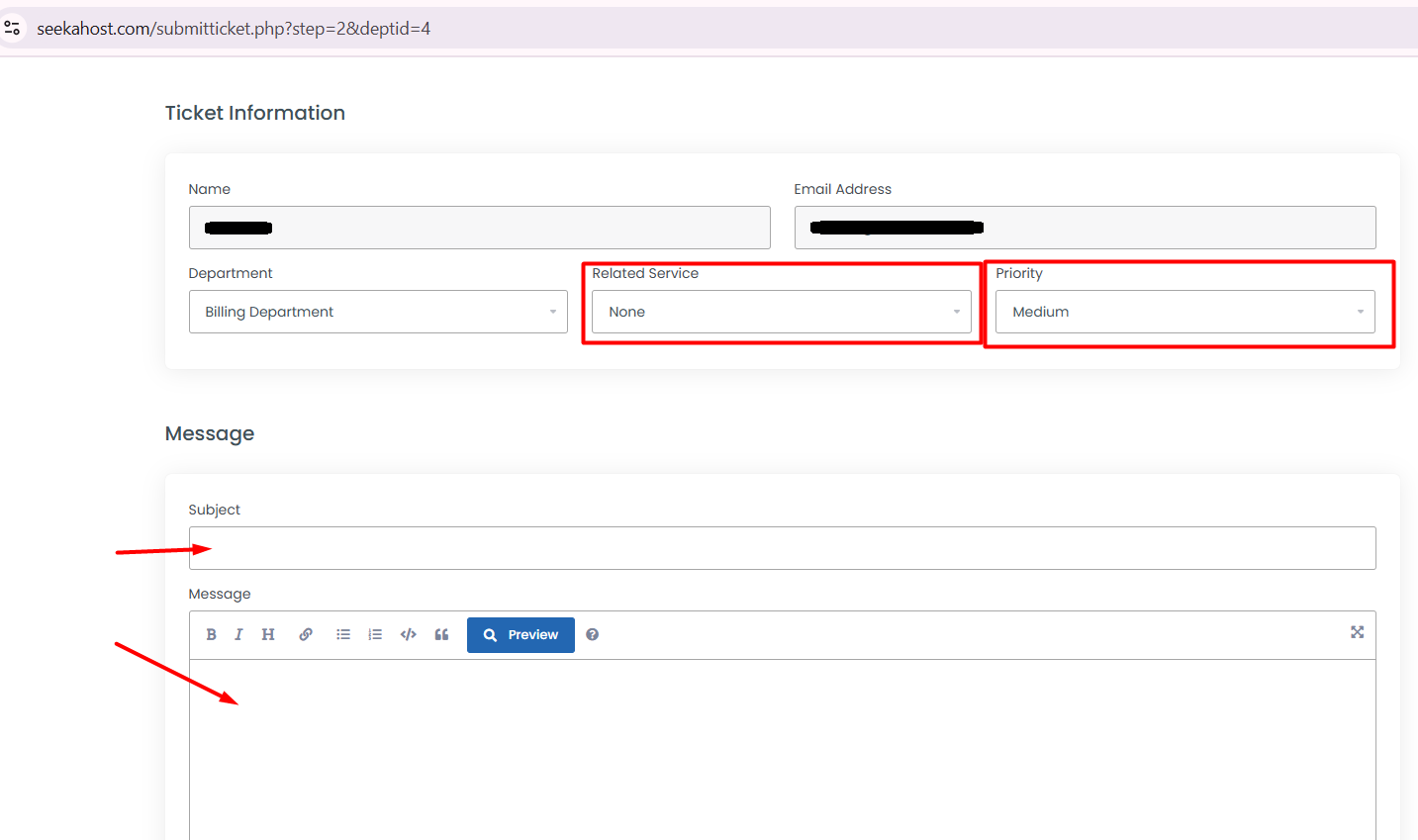
It is the last step to create a ticket, here your Name and Email Address are filled in automatically. So, you have to enter the query
and subject related to the query.
That's all you have created a ticket successfully in SeekaHost. Once we have completed your ticket, you will be receiving the reply through the same.


