



To change the WordPress URL in phpMyAdmin follow the below steps,
1. Log in to cPanel
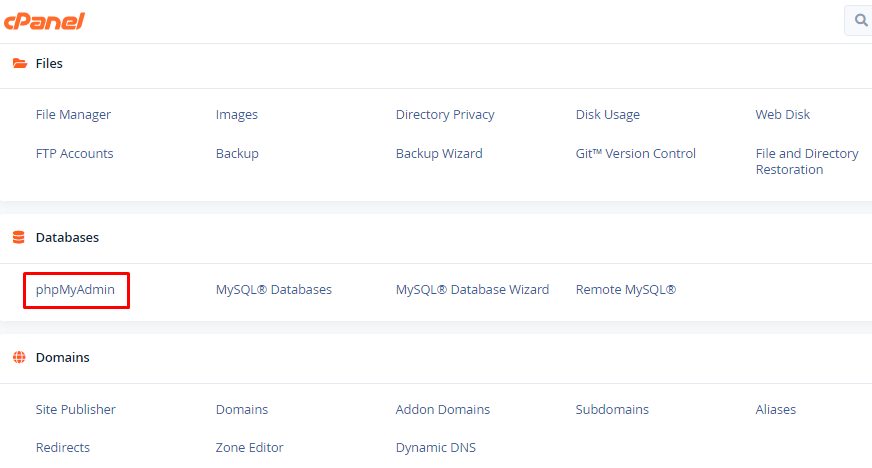
2. Go to phpMyAdmin and select the database name.
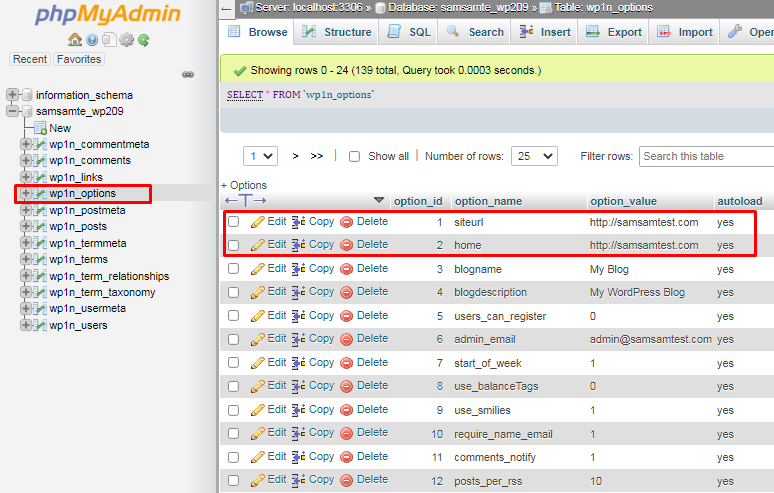
3. In the wp-options table, you will see the siteurl and home rows under the option_name
4. Click the edit option to edit the rows and enter the new URL for your website.
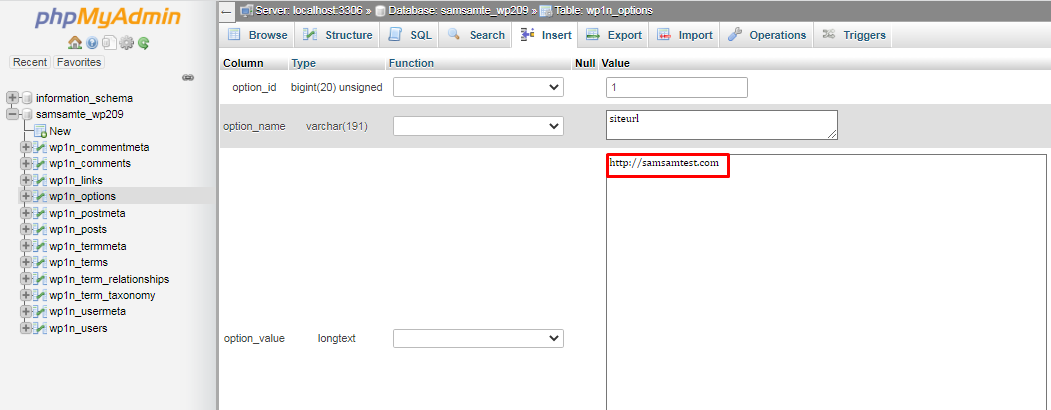
5. Click “GO” to apply the changes.


