Method 1: Using WordPress Dashboard
- In WordPress Dashboard “At Glance Section”, will display the WordPress version with the active theme.
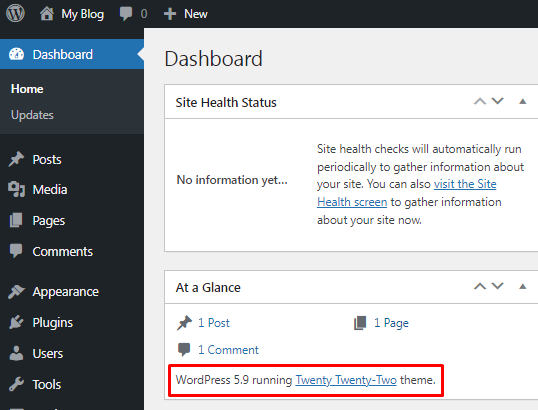
- At the bottom of every page, it will display the WordPress version.
Metho2: Checking version.php file
- Login to your cPanel account.
- Go to File Manager and navigate to the public_html folder.
- Open the wp-includes folder, you will see the version.php file at the bottom.
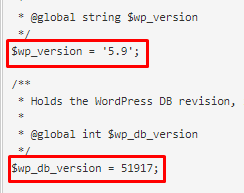
- View the file, you will get the “wp_version” and ”wp_db_version”.