
 SeekaHost.com Client Area
  SeekaHost.app
  SeekaHost.co.uk
  SeekaHost.in
How To Display Breadcrumb Navigation Links In WordPress?

By Aravind
Table of Contents
In WordPress websites, Display breadcrumb navigation not only improves user experience but also enhances SEO by helping search engines better understand your site hierarchy. Additionally, the guide explains Display Breadcrumb Navigation and how to add it in WordPress using Breadcrumb NavXT.
What is Breadcrumb Navigation Link?
A Breadcrumb Navigation Link is a secondary navigation system that shows users their current location within a website’s structure. It appears as a small text path (usually at the top of a page) that helps users understand where they are and how they got there.
Display Breadcrumbs makes the hierarchy of pages using categories and subcategories, such as:
For example, Display Breadcrumbs shows hierarchy using categories and subcategories, such as Home > Blog > SEO > Breadcrumb Navigation.
As a result, this helps users easily navigate back to previous sections without using the main menu.
Why Use a Breadcrumb Navigation System?
Thus, the purpose of the breadcrumb navigation System is to help users to navigate around the website. Moreover, this tool can really showcase the website’s organizational skills. Specifically, the main use of the Breadcrumb Navigation System is to help visitors backtrack. Additionally, in the breadcrumb navigation, you will see the categories you want to find. Google display breadcrumb navigation under every link if possible.
How to Display Breadcrumb Navigation in WordPress?
In this method, we will see how to add breadcrumb navigation to WordPress using the Breadcrumb NavXT plugin.
Step 1: Install WordPress and Log in to your WordPress Dashboard.
Step 2: Go to Plugin -> Add new. Search Breadcrumb NavXT in the search Bar.
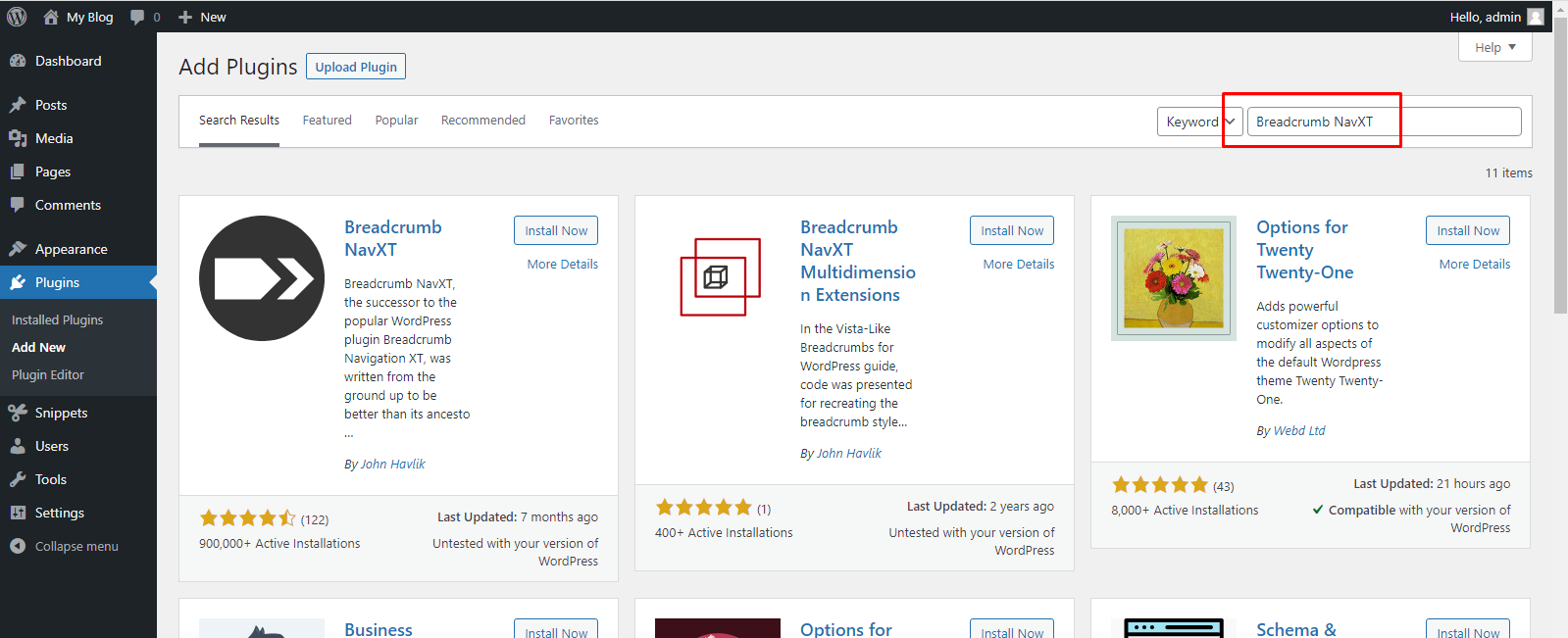
Install and activate Breadcrumb NavXT Plugin.
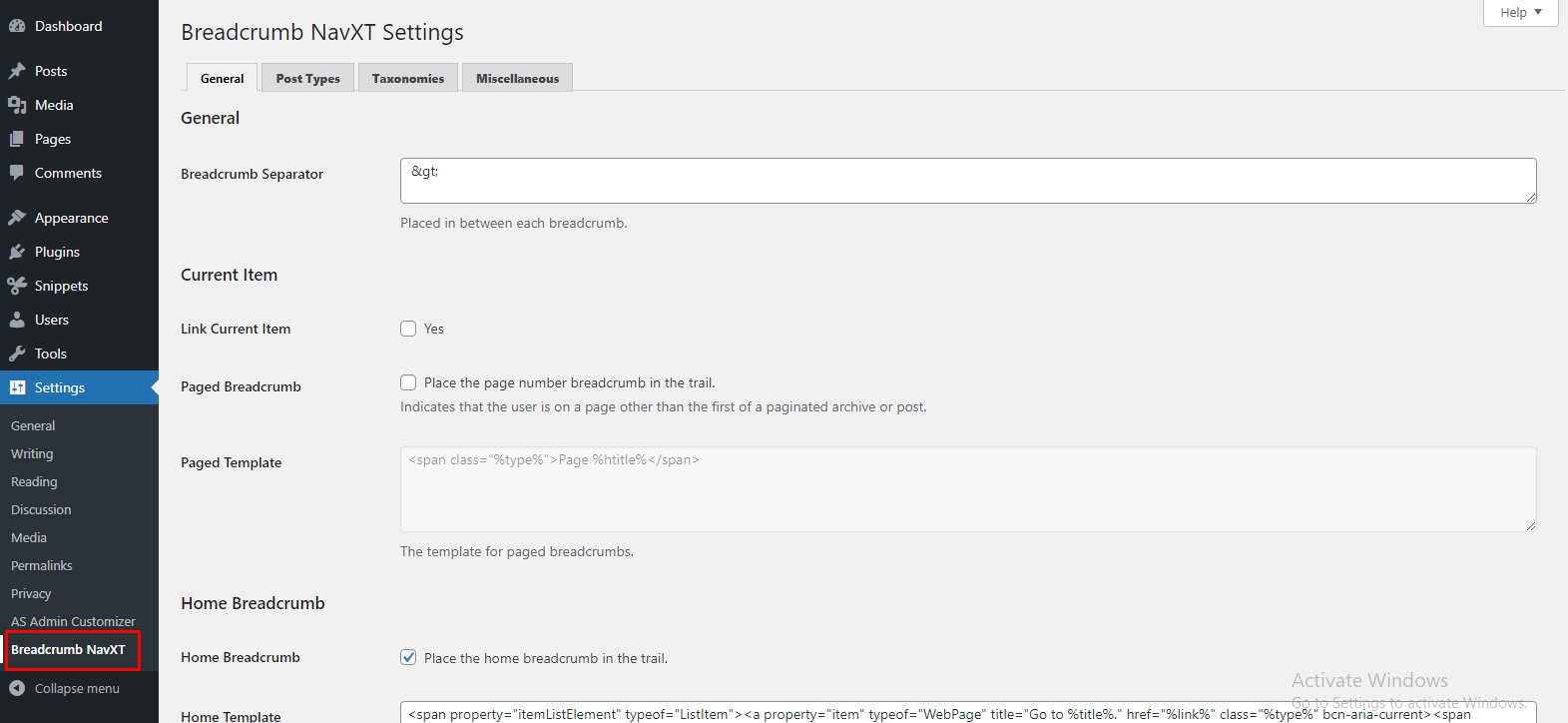
Step 3: Go to Settings -> Breadcrumb NavXT.
Additional Notes:
The Breadcrumb NavXT default settings should work perfectly on most websites. Each tab of Breadcrumb NavXT settings offers a different host of settings that may better fit your website’s needs.
If you want to change the settings, change the setting as needed and click on the “Save Changes” button to keep the changes.
After you make any changes you will notice that your website is still not displaying your navigation system. To display it you have to edit your theme’s header.php file.bread
Step 4: Login to the cPanel -> Search File Manager in your Domain cPanel.
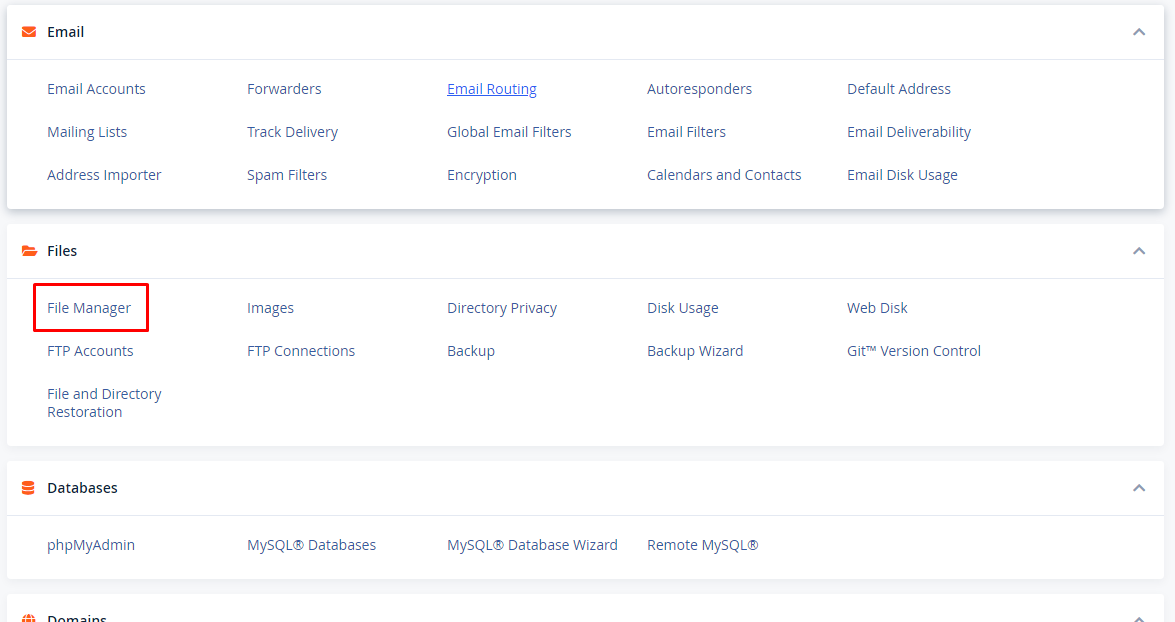
Step 5: Go to public_html -> wp-content -> themes inside of file manager.
Under the themes folder, select the theme which is currently used. Right click on the header.php file and click edit option.
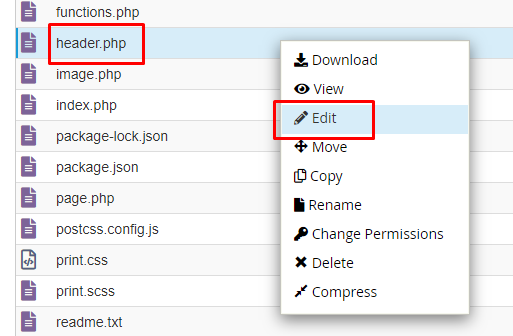
Step 7: Copy the following code and paste it on the header.php file.
<?php
if ( function_exists('bcn_display') ) {
bcn_display();
}
?>
Click the Save Changes button to save your File.
At last, you have successfully added a breadcrumb using the plugin which Display breadcrumb navigation link. if you are changing the theme you have to edit the new theme’s header.php file in the same manner.