
 SeekaHost.com Client Area
  SeekaHost.app
  SeekaHost.co.uk
  SeekaHost.in
How to Become an Affiliate in SeekaHost and Get Benefits?

Are you thinking of affiliate marketing?
It’s a fantastic way to earn online even on the side without a degree being required. In future, the online marketplace is predicted to grow better than any other platforms. This means online marketplace will offer a great opportunity for all internet users. It will become increasingly competitive every day. With this being said, SeekaHost provides opportunity with Affiliate scheme for anyone to join and earn. If you want be part of affiliate scheme, you must be a registered user in SeekaHost.
(If you’re not a registered user, check on how to register an account in SeekaHost?)
What is an Affiliate Program in SeekaHost?
An affiliate program in web hosting is a marketing or promotion in which our company pays you a commission for referring new customers to our services for purchase of our product/services. You promote our company by sharing a unique affiliate link provided for your account through blogs, social media, YouTube, Email Banner or advertising, etc. When someone clicks your link and purchases our product/services, you earn a commission, either a fixed amount or based on the promotional content.
Our web hosting affiliate program enables you to earn money by recommending our services. You will receive payment when your referral leads to a sale. The best part is that you won’t have to handle customer support or manage the hosting service.
How to Create an Account and Become an Affiliate?
Becoming an affiliate is an easy process at SeekaHost by having an account with active product/service. Follow the below process to become
Step 1: Register a domain or purchase a hosting Service with us. While on checkout page for the order, you can able to create an account in the same page.
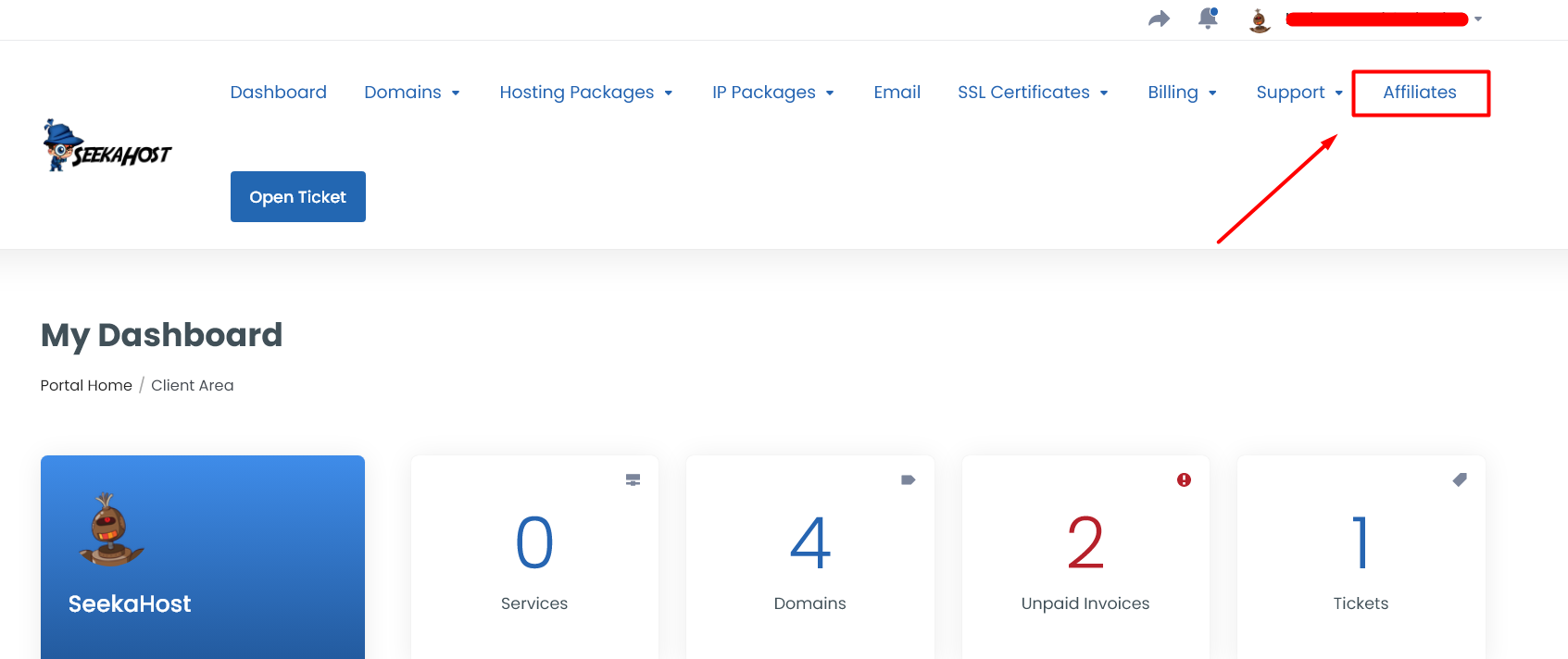
Step 2: Once you paid and the order is active, login to client area -> click “Affiliate” option on top of the table.
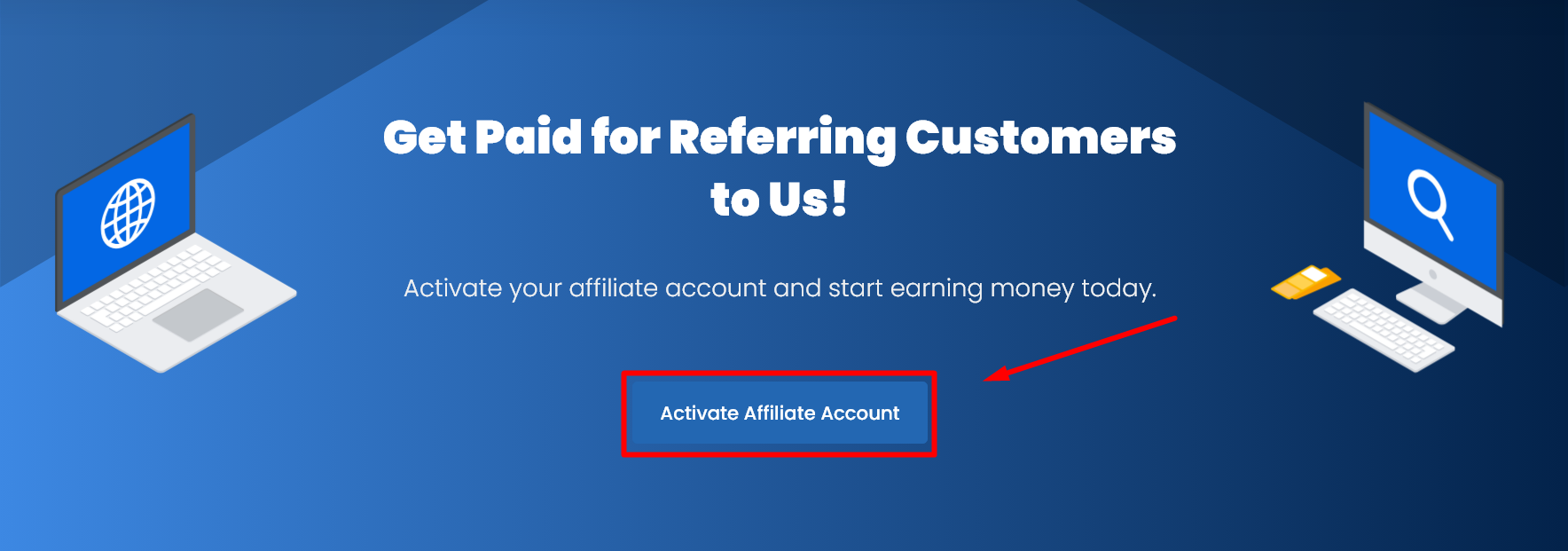
Step 3: Click “Activate Affiliate Account” button to activate as affiliate account.
Step 4: Once you activate as affiliate account, you will get the affiliate link in the same page.
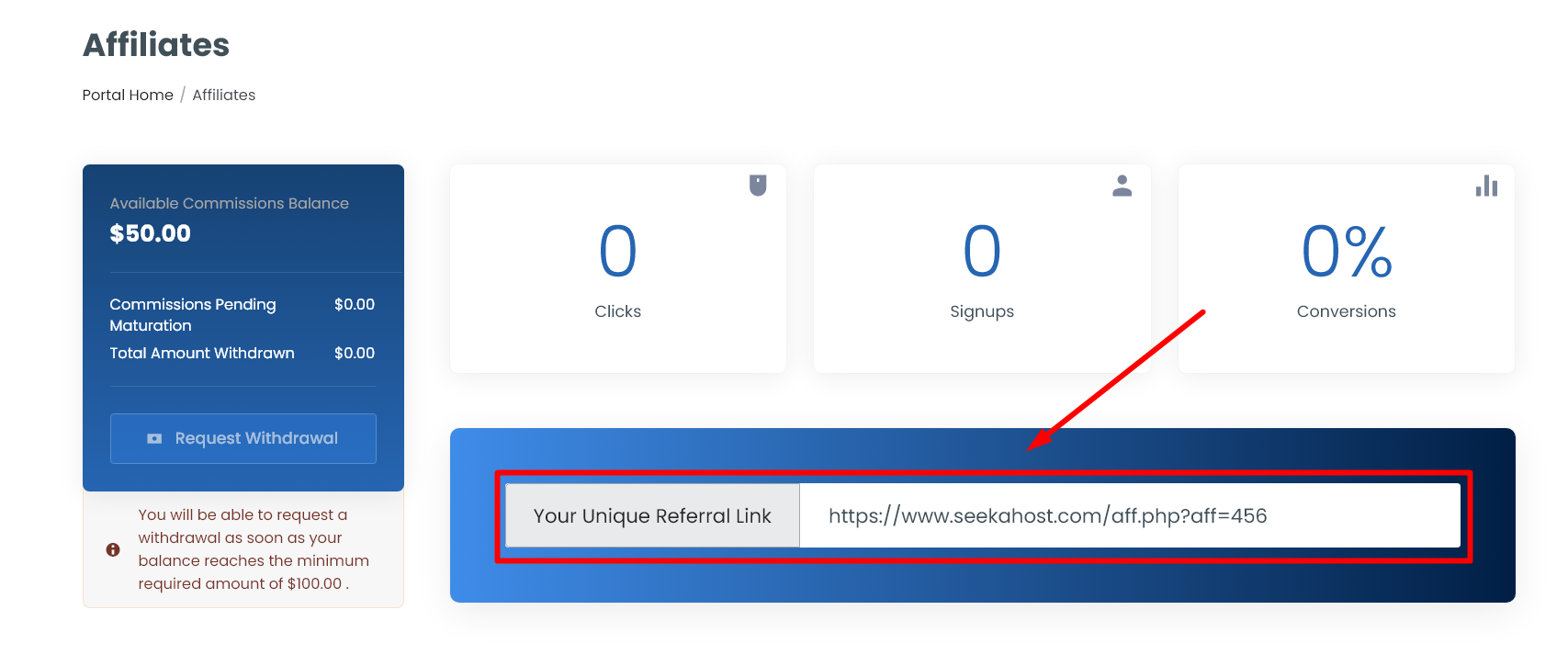
By default, we provide $50 as a bonus offer to your affiliate account which you can request to withdraw anytime once it reaches total of $100.
Affiliate Commission Details:
Available Commissions Balance – Total bonus available to withdraw now. ($50 will be added once you have registered as an affiliate)
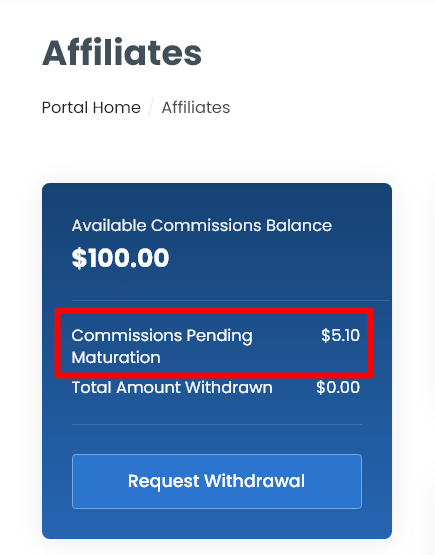
Commissions Pending Maturation – Amount in maturation before it’s available to withdraw.
Total Amount Withdrawn – Total amount you have withdrawn so far.
Affiliate Conversion Details:
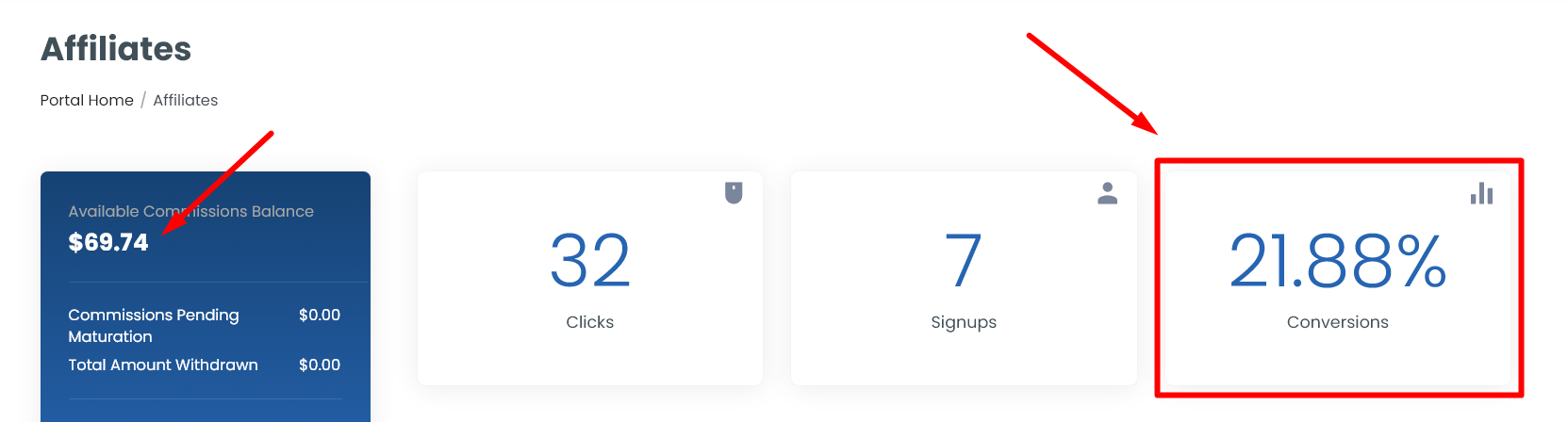
Clicks – Total number of times your referral links have been opened in a browser. (This will not count as a conversion since the order was not purchased through your referral link.)
Signups – Number of signups or account created and order purchased through your referral link. (This will be counted as conversion)
How to Use the Affiliate Link to Purchase the Order?
Step 1: Here for example, your unique referral link is https://www.seekahost.com/aff.php?aff=456. Load this url in the browser which will take you to our official home page (seekahost.com) and purchase the domain or hosting package. Once the invoice is paid, it will be added under your account as a referral signup.
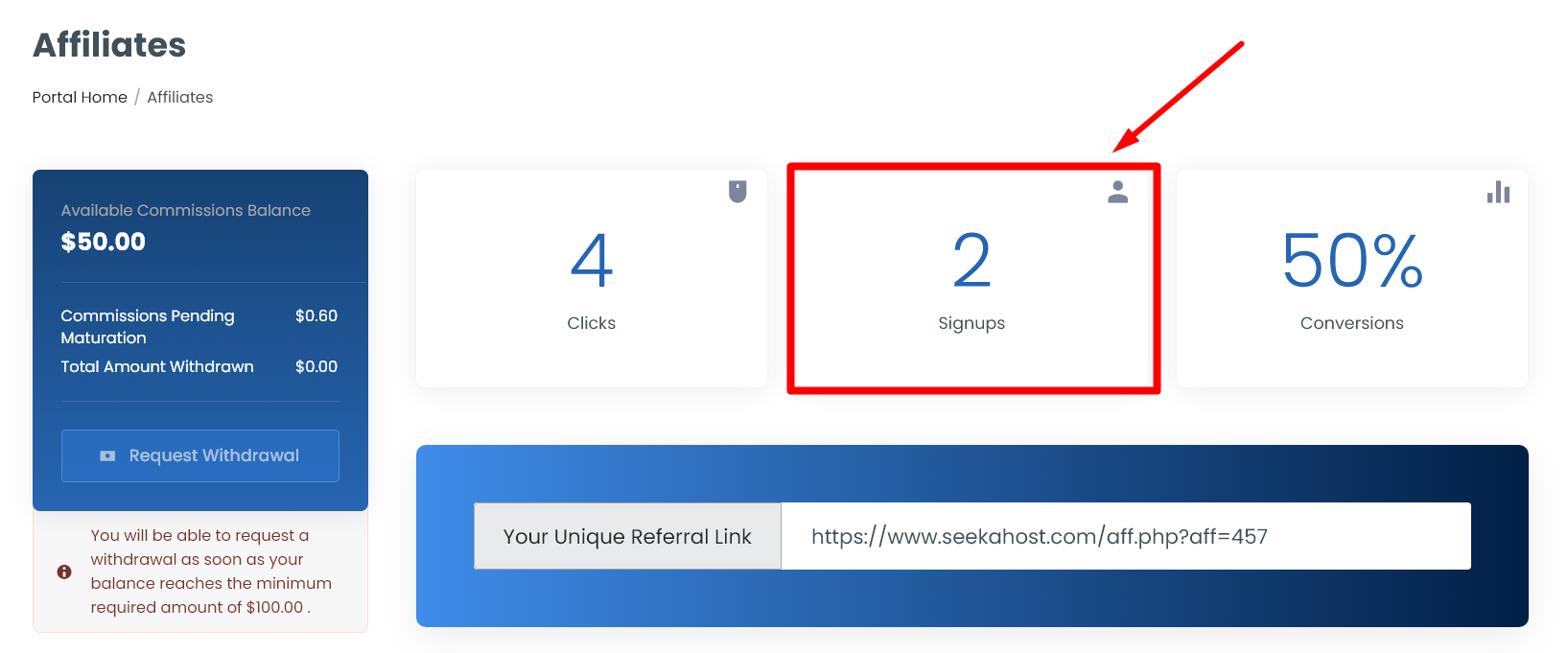
If the referral just click the link but has not paid the invoice, then it will only counted as “Clicks”.
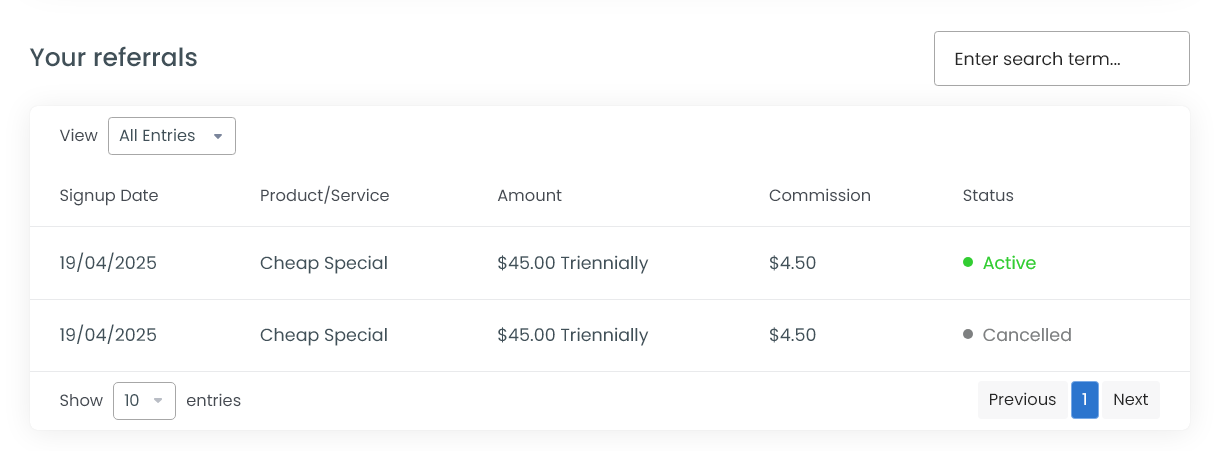
Step 2: You can find the invoice and product details of your referral order in the same page right below the affiliate link.
How to Promote the Product using Affiliate Link?
You can promote the affiliate link in number of ways which can be strategically marketed in your own way to build your connection and increase your commission rate.
Below are the most commonly used platforms to promote:
1. Direct Link
2. Social Media Promotion
3. Blogging and Content Creation
4. Email Marketing
5. YouTube videos
6. Online forums and communities
7. Advertising
8. Website banners and sidebars
How the Affiliate Program and Commission Work?
1. Once you become the affiliate client, you can share your unique referral link to other users who has not purchased any service with us. If you can bring in new users, your chance of getting commission will be increased.
2. After you have activated the account as affiliate, you will get signup bonus of $50 to your account which you can withdraw once it reaches $100.
3. Email should be verified for your account and as well your referral account to ensure both receive all updates from our end and approve the withdraw amount as well for you.
4. For domain, currently we are not offering any affiliate program. You can promote for hosting plans to get the commission using your unique referral link.
5. Once the order is activated, it should be active for 45 days from date of signup in order to be eligible for affiliate commission.
6. You will receive an initial commission of 10%, with the potential for an additional percentage based on your website’s metrics where you promote SeekaHost. If you operate multiple websites or have a site with significant traffic, you can earn up to 50%.
7. You can click “Request Withdrawal” button on left side in the affiliate page to raise a ticket with us. Our affiliate team will manually review the orders, payments and how you have promoted our website which will determine the commission rate.
8. Boost your conversions using unique crafted banner packs, detailed screenshots, and a variety of promotional tools. When you get more signup, your commission will get increased.
9. For the verification process, you may need to provide ID proof and the URL of a post or page promoting SeekaHost in your ticket.
10. Your pending commission will be credited to your respective payment method within 24 to 48 hours once our affiliate team approves.
How to Check the Conversion and Track Commission?
Your conversion percentage will be based on the active orders and number of signups or clicks of your referral orders. You can check the conversion percentage in the affiliate page of your account.
You can track the pending commission for your referral orders in the available commission balance near the Commission Pending Maturation on the left side section.
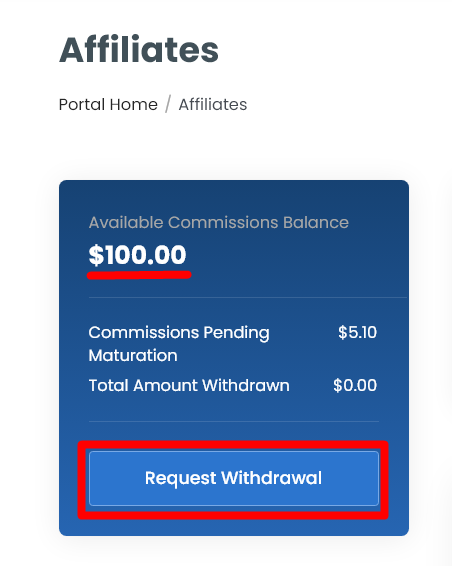
Once our affiliate team approves your commission for the orders, the cost in “Commission Pending Maturation” will get zero and added to the available commission balance.
How to Withdraw the Amount from Affiliate Account?
Step 1: Check if your available balance reaches $100 in your affiliate page.
Step 2: Click “Request Withdrawal” button to raise a ticket to our backend team.
Step 3: You can follow the ticket raised for further updates or notification for the withdrawal request and pending commission.
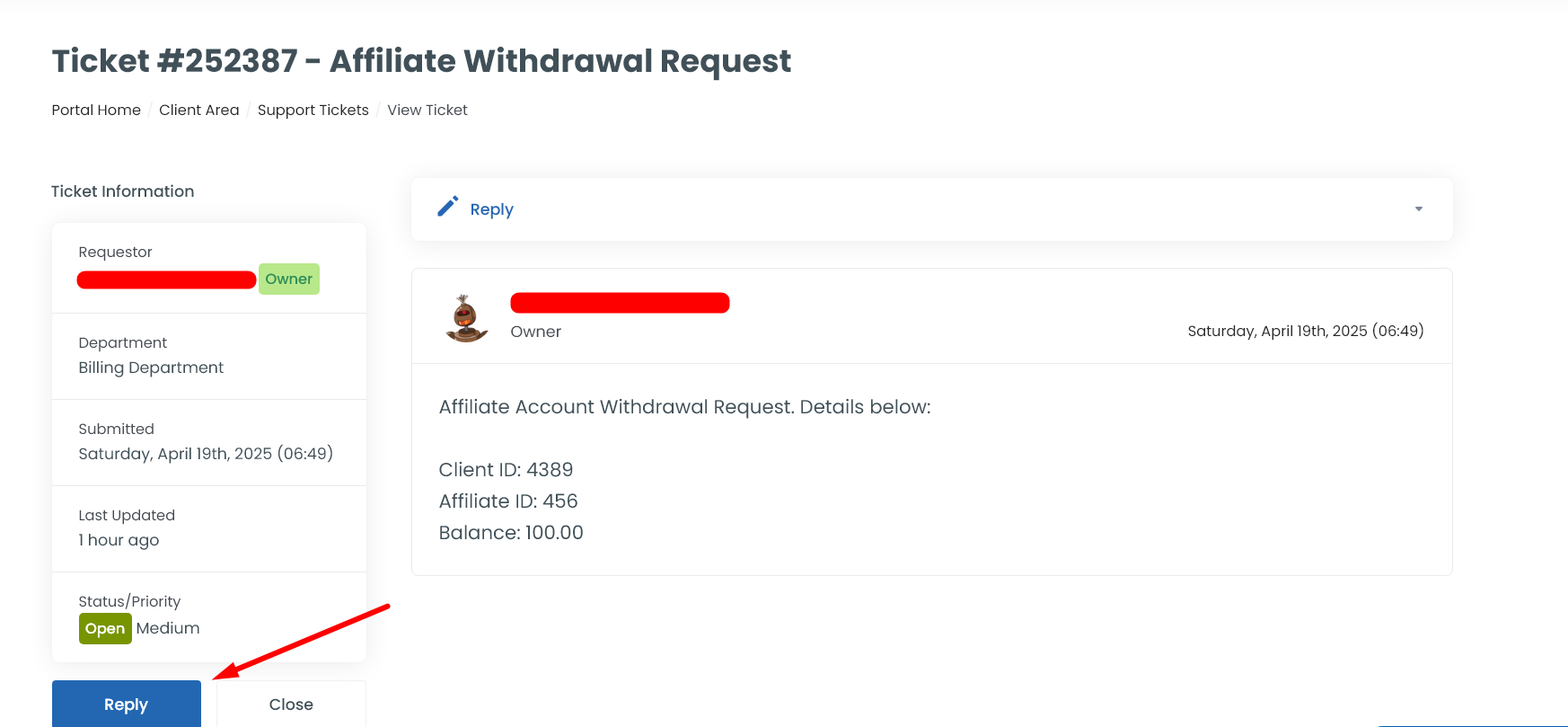
Step 6: Click “Reply” button and mention your PayPal account details where you want the pending commission to be credited. If you want to add any further information in the ticket regarding the affiliate commission, you can reply to the same ticket.