
 SeekaHost.com Client Area
  SeekaHost.app
  SeekaHost.co.uk
  SeekaHost.in
What is a database? Definition, Components, Types, and How it works?

By Aravind
Table of Contents
In digital world, data is everything in your life whatever action you perform. Knowing “What is a Database?” is always covered from basic education system to IT works.
In this blog, we will see what is a database, and explore different types, components, significance, and many more aspects.
What is a Database?
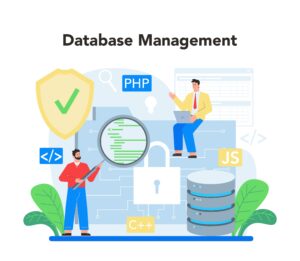
A database organizes data in tables, rows, and columns, making it easy to manage and retrieve specific information quickly in a computer system. Database is controlled by Database Management System (DBMS) to ensure data integrity, security, and efficiency across applications with databases.
Definition
A database is a structured, electronic data collection with relatable information stored in computer system. Instead of data kept in unorganized way, database organize them in table, documents or graph to help applications to easily search, sort and update stored records efficiently.
Article Related to SQL:
2. PhpMyadmin
Core Components of a Database System
What is a database components four main components? They are data, DBMS, schema and queries to interact with data to store, organize and manage information to ensure data integrity and access efficiently.
1. Hardware
A simple touchable physical equipment that is part of computer storing all your data. It comes in Hard drives (HDD), solid-state drives (SSD), or cloud storage where the data physically resides.
2. Software
Software is set of programs that tells hardware what to do. DBMS is important part of the software that serves as an medium between user and data stored which also includes the operating system and network software used to share data across a network
3. Data
Contains entire information as data set which includes meta data as a map telling the system how the data is organized such as table names, field sizes, and relationships between each information’s.
4. Procedure
Just a instruction and rulebook that define and state how the database works and have to perform tasks correctly and safely via DBMS for the user/admins.
5. Database Access Language
The specialized language which often called as “SQL” that a database can understand and process your request or fetch data by communicating with the database.
6. People/Users
Admin or user who have the privilege and access to database to perform any task or action. Even if not have any access, you will be part of the database if you are using the application as end user to access or use the information.
What is a database internally? Tables (rows/columns), indexes (fast lookup), data dictionary (structure map).
Internal Components:
What is a database internal components? Tables, indexes, and data dictionary form the core structure inside a database.
1. Tables
It holds the data’s updated in row and column format where row contains Unique Data Instance or entity and column contains data type like integer, string, or date.
2. Indexes
Indexes of data column or table serves as direct checkpoint that enable very fast data retrieval instead of scanning complete database to find the specific record.
3. Data Dictionary
Data dictionary aka Meta Data Repository where complete database information is stored which acts as table of contents that explain how everything is structured and set rules to follow.
Types of Databases:
What is a database type works best?
1. Relational Databases (SQL)
A type of database that store data into rows and columns organized in form of table where the table are linked through shared values called keys.
- How it works: Organize the data into structured tables and manage information efficiently using predefined relationships between the tables. Users interact with these data using the SQL language for data retrieve, create and update.
- Best for: Handling complex, structured, consistence accuracy data management. Example, Financial transaction, Application with high related data, detailed reporting, Strict Data integrity.
- Examples: MySQL, PostgreSQL, Oracle, and Microsoft SQL Server
2. NoSQL Databases
This database support unstructured and semi-structured data rather than keeping the data in organized column and rows in spread tables. The data’s are stored in document type such as JSON, BSON, XML, etc by using collection and documents.
- How it Works: Each document can have a different structure, allowing fields to be added or changed on the fly without affecting other records (schema-less design).
- Best For: Content management systems, product catalogues, and applications with rapidly evolving data requirements.
- Examples: MongoDB, CouchDB, and Amazon DocumentDB.
3. Cloud Databases
A database that is built, deployed, and accessed entirely through a cloud platform (like Amazon, Google, or Microsoft)remotely instead of maintaining everything from your end in a physical server
- How it Works: Cloud providers handles the everything from maintenance to updates. You access the database over the internet using an API or a web console. It can scale up (add more power) or down instantly based on your needs.
- Best For: Remote teams, startups that don’t want to manage hardware, and applications that need to scale quickly to handle millions of users.
- Examples: Amazon RDS, Google Cloud SQL, Microsoft Azure SQL Database, and MongoDB Atlas.
4. Distributed databases
The name itself defines it as database that distribute the data across multiple servers/nodes that are connected through network as single logical database to fetch data when a user request so it appears as single database to end user.
- How it Works: The data are spread across multiple servers that function together whenever any changes happen in one server that automatically update on all server together.
- Best For: Global users who have users in multiple locations, High reliability to balance if any one goes down, Massive growth to increase storage or close the gap if one of server gets full disk space
- Examples: MongoDB, Apache Cassandra, Amazon DynamoDB, Google Cloud Spanner, and CockroachDB.
How Databases Work?
What is a database process flow? 5 parts such as hardware, software, data, procedures and database access language coordinate together in database system. They are digital filing systems designed to store, manage and retrieve information from vast data’s keeping them safe, organized and quickly accessible.
Related Article: Digital Transformation
1. Data Input and Storage
Data enter database through three different phases like user apps, forms or APIs where the system check each one against its rules if the are formatted correctly and links to each other data.
This is eventually come in place where you register an account or fill an form or enter any details in a website as part of the process which acts as input from that applicate to the website database to get stored and process for any other query.
Instead of randomly stored and unorganized it uses schema rule to define the role of accept request and getting stored. It acts as a blueprint that defines how the input should be validated during the INSERT/UPDATE, reject errors, for tables, columns, rules.
2. Query processing
Query processing is important part/process in the database where your request often a query sent to the database which reads your input and then sent back the data matching the query as an information.
This comes in handy when your users search any product in your search field while looking for a product in your website. For example, if they search “memory card”, it list all the products matching the term or product fetching from your database.
It uses SQL to process these request instead of retrieve everything it only provides data matching the request by filtering the data in databse.
During these processes, the database grows larger causing the data retrieval slower often causing to load the page slow. This is where the index feature comes in handy jumping directly to the specific section on the database relevant to the query instead of scanning through entire database table rows and columns.
3. Data updates and deletion
Data updated and deletion are core process in database where it keeps the database both getting updated and cleaned at the same time so any unnecessary data gets remove to free up space while updating the database regularly based on the changes made on the website to ensure the updated data is shared.
Insert, delete and update are the three functions which handles these operations so the database will not break the structure or create inconsistencies.
Insert – every new entry or data that is filled in the website by the user, a new data record will be created.
Update – When an inserted record is modified by the user, then it gets updated in the same record instead of creating new record for it.
Delete – If user remove any from the websites like account, product, image, etc then it will be removed from the database permanently.
You might often confuse database with file storage which there is major different between the two. The database holds the data integrity to ensure changes are not getting conflicted or create invalid data whereas, file storage does the opposite.
4. Transaction management
As name itself suggest, this is a database management that involves or process query related to transaction, billing and payments. It keeps the data on both side like sender and receiver are getting payment processes parallelly so only one doesn’t updated causing other to fail and confuse the database.
Let’s say you send a payment for purchasing a product, the merchant will receive the payment and process the order. Incase the payment getting failed by end user but order is processed or payment getting rejected merchant but the product get delivered which cause both party to gain advantage or loss.
Rule with “ACID” guarantee that these transaction are executed correctly,
Atomicity: All steps complete fully or rollback – no half done changes.
Consistency: Data follows rules before/after (e.g., valid balances).
Isolation: Concurrent transactions don’t clash or see partial work.
Durability: Committed changes survive crashes, saved to disk.
5. Backup and recovery
If anything goes south or you need to urgently recover data or take backup of a data before making any changes, then the backup and recovery database process comes in great effect and benefit for every websites.
As anyone run the website knows that nothing is permanent and any simple mistake can takedown entire or part of the website that could affect the business and customer to great length.
If you take a backup in certain point, then a copy of the backup will be stored which can be later retrieved anytime to the same point making everything normal again. Recovery is the process that helps the backup to get restored incase of any disastrous.
Between these two, there is process – Replication which replicates the same data in different located servers so that it reduce the load on main database which improves performance and serves the data from nearest locations with the copied data.
Just you know that Databases are the backbone of apps, storing data safely and fetching it fast as needed. Hope this article give you simple overview of the what is a database and its related information.