
 SeekaHost.com Client Area
  SeekaHost.app
  SeekaHost.co.uk
  SeekaHost.in
What is Github and How to Setup Git With Plesk?

By Frank Carson
Do you want to upload your files from your GitHub account to a Plesk control panel? Then this article is for you. Using Plesk Panel’s Git option, you can setup git for clone repositories, pull the latest updates, manage versions efficiently, and maintain a streamlined development workflow. This integration improves website performance, enhances security, and simplifies code management for PHP, HTML, CSS, and JavaScript projects hosted on Plesk.
In this article, we will walkthrough on What is Git and How to Setup Git With Plesk.
What is GitHub?
GitHub is a web-based Platform for developers to store, create, and manage collaborative code on git. You can create different branches, deploy, push and pull your development project.
I hope you already created GitHub account and already have files on it to deploy on the Plesk.
Now, let’s check how to connect a GitHub account to Plesk.
Prerequisites:
- A GitHub account with a repository containing the website files (Public Repository)
- Plesk control panel hosting
Process to Setup Git to Plesk:
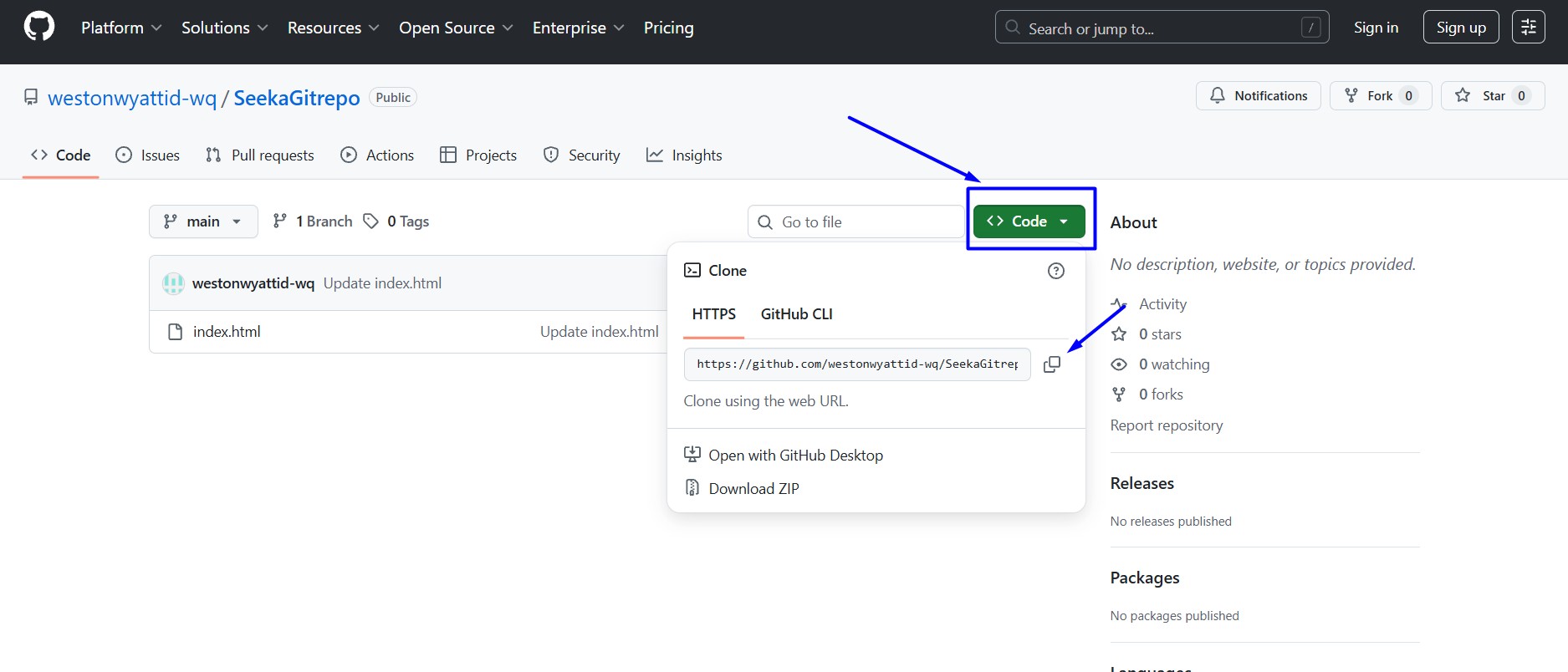
Step 1: Log in to your GitHub account and click the repository.
Step 2: Click drop down code option of the repository, and copy the https URL that you want to connect to Plesk
Note: Here, i have created a sample index.html file on GitHub account.
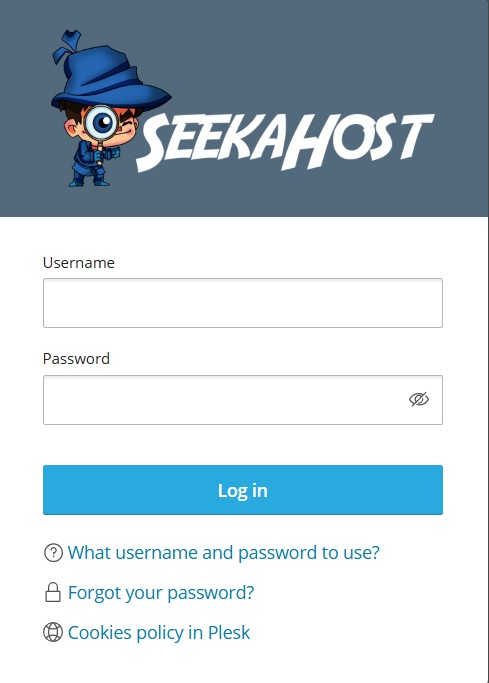
Step 3: Log into your Plesk account
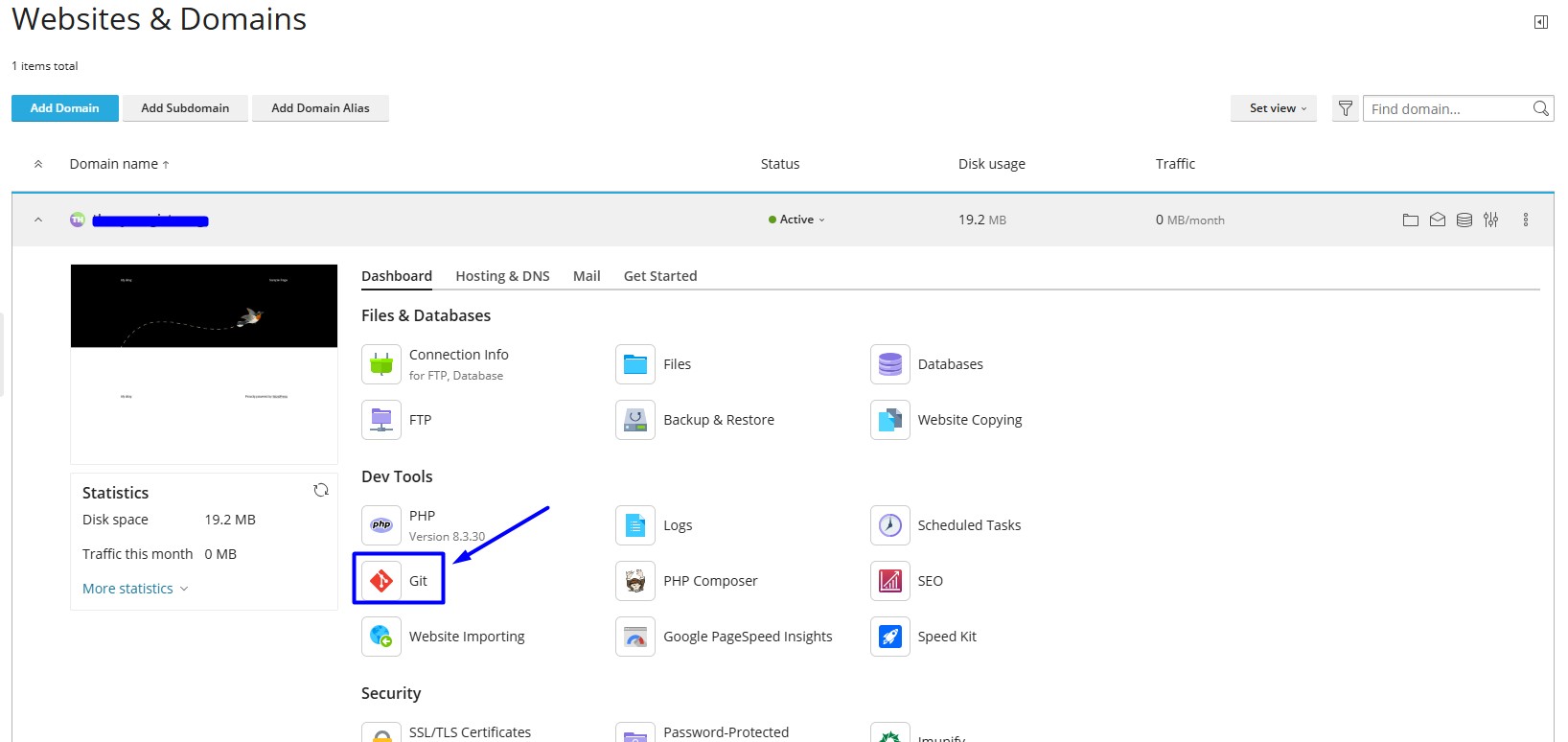
Step 4: Navigate to the dashboard of your website, click the ‘Git’ options under the Dev Tools and click add the repository.
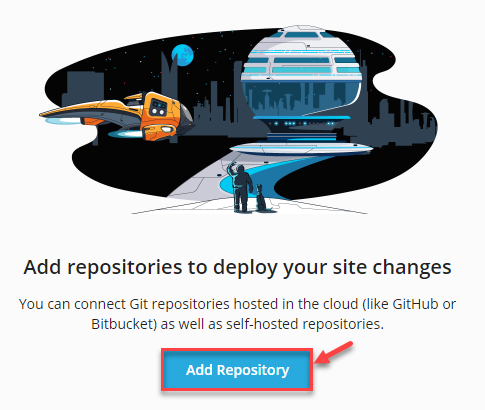
Step 5: Now click “Add Repository” button.
Step 6: In Git Control Setting, choose “Remote Repository” and enter the required field information.
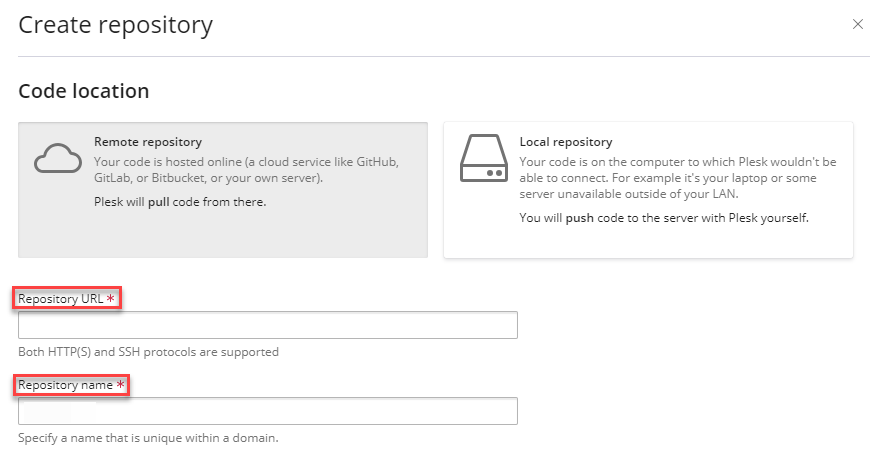
Repository URL: Enter the Repository https URL link you have copied from the GitHub account.
Repository Name: This is your GitHub repository name
In below, Choose the path where files will be deployed and click checkbox to enable additional deployment actions. Once done, click Create button.
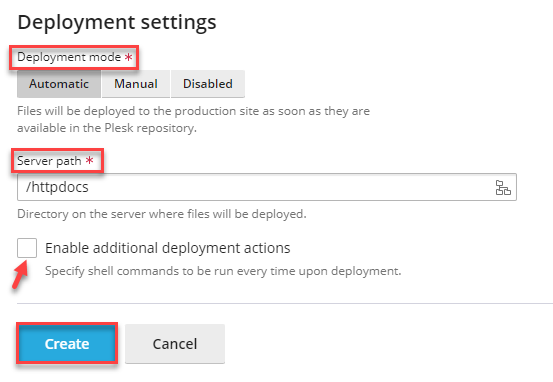
Server Path: Choose the path, where you want to deploy the website
Note: Make sure you don’t have existing files on this path
Step 7: Adding or removing lines of code file in GitHub account.
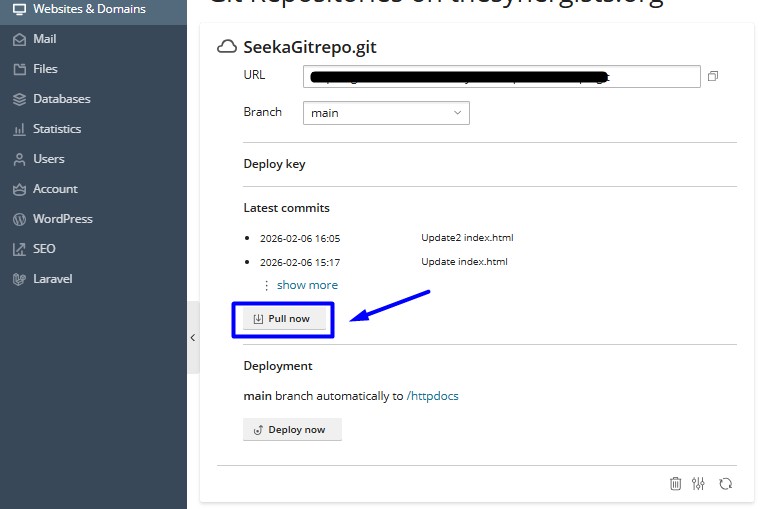
If you add any lines or make any changes in your GitHub account, those changes will not automatically updated on the main website, you need to click the Update from Remote option in Plesk every time you done changes.
To do so, go to same Plesk Git and click the Pull Now button.
I hope with this article, you can able to Setup Git repository to your website in Plesk account.