
 SeekaHost.com Client Area
  SeekaHost.app
  SeekaHost.co.uk
  SeekaHost.in
How To Add Dark Mode In WordPress Website?

By Robert Mills
Dark mode in WordPress is used on mobile devices and computers to reduce the amount of white light from the user’s computer browsers making it easier for their eyes.
Dark mode as a night mode is a display setting that changes your website color from using a light background and dark background with white text.
As a website owner, you might want to consider adding a dark mode to your site and making it easy for your visitors to enjoy your content without straining their eyes.
Fortunately, adding a dark mode to your site is a simple process. Not only you can adjust how your website appears to users, but you can also change the admin dashboard to a dark. This can be useful if you work on your site in the evenings or at night.
In this article, we have explained how to add dark mode in WordPress.
Steps to Add Dark Mode In WordPress Website:
Before follow the steps, ensure you have installed the WordPress for the website.
Step 1: Log in to your website’s WordPress dashboard.
Step 2: Go to Plugins section -> Add new Plugin
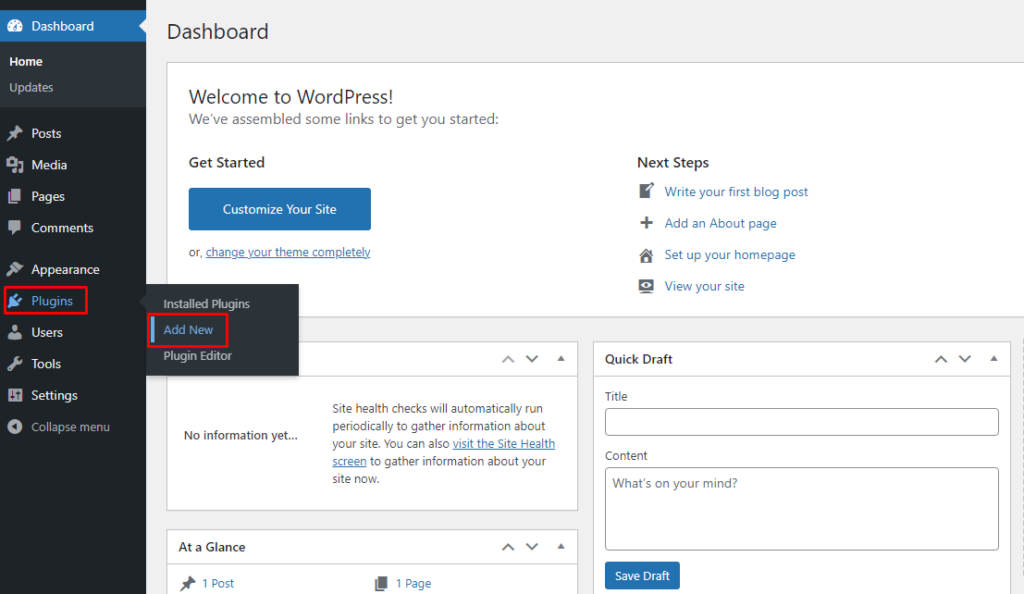
Step 3: Search WP Dark Mode plugin and click install button. You can check our article how to install plugin in WordPress.
Step 4: Once done, click Activate. Now you can see the WP Dark Mode plugin on your left side of the dashboard.
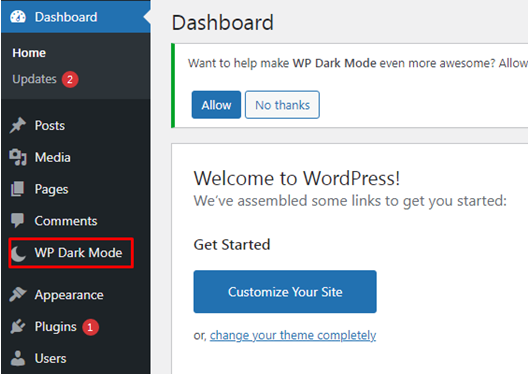
Step 5: Under WP Dark Mode section -> Click Settings. You should be redirected automatically as a below image,
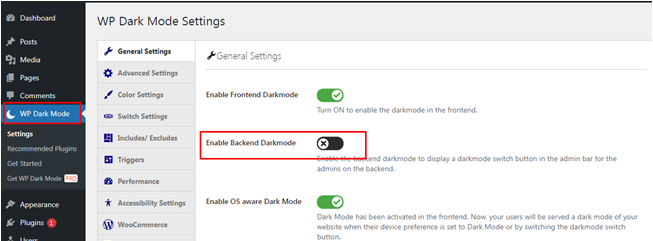
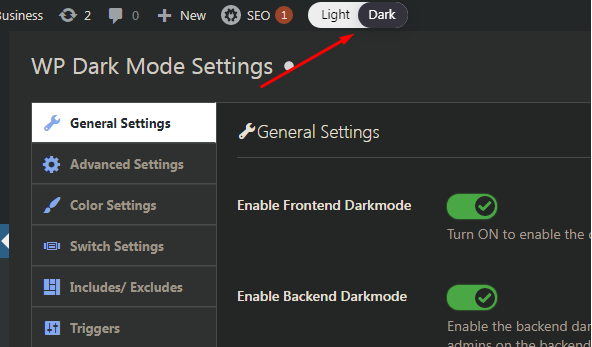
Enable all three options which are displayed in the settings as follow,
- Enable Frontend Dark Mode for your visitors to see your website and enjoy your content without eye-straining.
- Enable Backend Dark Mode for your WordPress Dashboard and it is useful for you to work on your site.
After enabling Backend Dark Mode you will see a new switch in the top bar of your admin area,
Step 6: Here, the settings Enable OS aware Dark Mode has already been enabled for you.
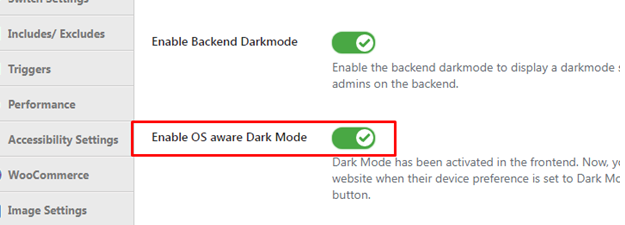
This means that visitors will automatically see the dark mode version of your site when their devices are set to dark mode.
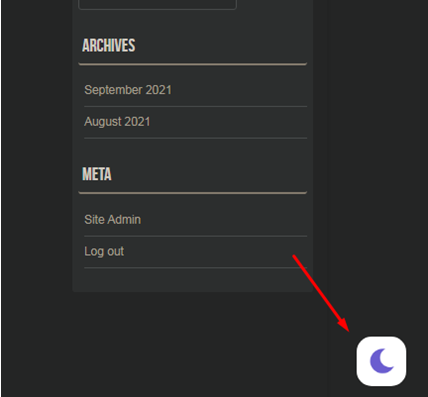
Just visit your website and you will see the switch in the bottom right corner. Click it to instantly switch your site to dark mode on your device,
There are more customization options available on the Settings/WP Dark Mode page. However, these are quite limited with the free plugin.